
A busy payment terminal tells only part of the story. The real numbers often show up later, spread across several dense pages that can make even a well-run business feel unsure of what it paid and why.
Your merchant services statement is a monthly record of card sales, deposits, refunds, disputes, network costs, and processor charges. We’ll review the summary, sales, deposits, transaction activity, fees, pricing, and reconciliation in that order.
Start with the big picture, then work your way toward each fee line.
Key Takeaways
- Start with the account header, processing period, deposit summary, total card sales, total fees, and net deposits before reviewing individual fee lines.
- Reconcile settled sales, refunds, chargebacks, withheld fees, and adjustments with deposit dates and amounts in your bank records.
- Separate wholesale card costs, network assessments, and processor markup, then confirm each recurring or per-transaction fee against the contract and fee schedule.
- Identify your pricing model and calculate the effective processing rate using fees and card volume from the same statement period.
- Compare statements month over month to spot unexplained changes in transaction mix, fees, chargebacks, PCI charges, or deposits, and request written clarification when needed.
How to Read a Merchant Services Statement Without Guessing
A merchant processing statement may include familiar sections, though layouts vary by provider. A payment service provider facilitates card acceptance and supplies the statement. Common sections include a cover page, deposit summary, transaction activity, fee detail, chargeback activity, and account messages.
A merchant processing statement should answer three questions:
- How much card revenue did the business process?
- How much money reached the bank account?
- What reduced the difference?
Don’t assume one statement represents your entire operation. One business may use more than one merchant account for in-person payments, online ordering, or mobile devices. A retailer may also have a separate gateway account.
Start with the account header
Review the business name, DBA, merchant id, processing period, and bank account ending digits. These details should match the account and location you’re reviewing.
An old address or unfamiliar identifier doesn’t always mean an error, so check it against the contract or location records first. It may point to a legacy account, acquired location, or separate service, but it still deserves a direct question.
Find the summary page first
Locate the deposit summary first. It may show grouped funding instead of individual sales. Use it as the front counter, then review volume, transaction count, refunds, chargebacks, deposits, and total fees. Think of it as the front counter. It gives you the total before you walk into the stockroom.
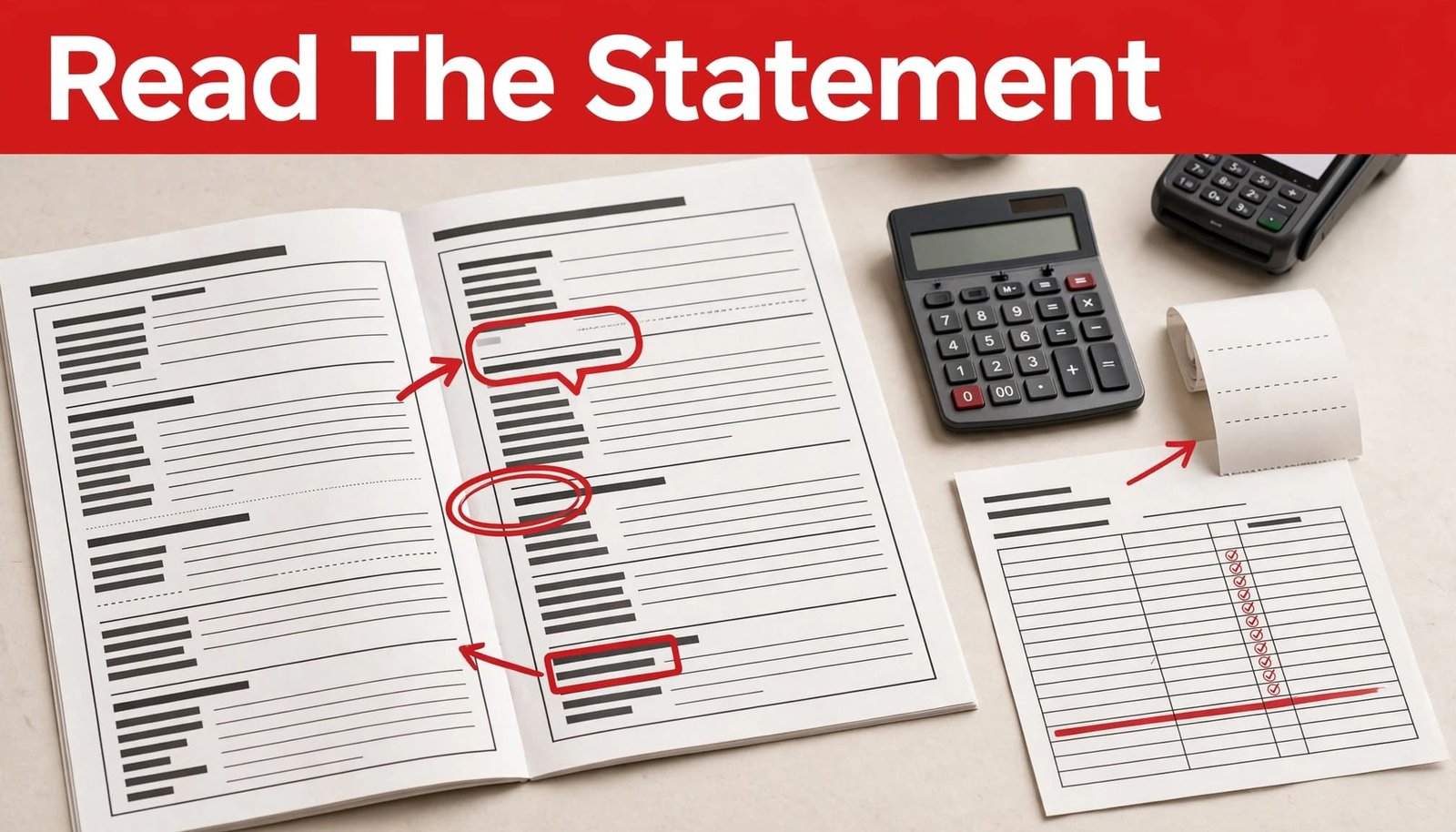
On the deposit summary, circle three figures before reading further: total card sales, total fees, and net deposits. Those numbers become your reference points for the rest of the review.
Confirm the Processing Period and Sales Totals
Statements aren’t always aligned with your bank month. The reporting period may run from the first through the last calendar day, while deposits from late-month batches arrive in the next month.
Look for labels such as “gross sales,” “settled sales,” “sales volume,” or “processed amount.” These labels may include tips, sales tax, or transactions authorized but settled later, depending on the reporting method.
The U.S. Chamber’s overview of credit card processing is a helpful reminder that authorization and settlement are different steps. Authorization means approval to attempt a payment; settlement is the later submission and funding stage. A payment processor may approve a transaction at checkout without it settling or appearing in a funded batch yet.
Separate sales from transaction count
A higher transaction count does not always mean more revenue. A coffee shop can process hundreds of small tickets, while a contractor may process a few high-value payments.
Compare both figures with your POS reports. If card volume differs, check whether either report includes tips, taxes, cash, gift cards, invoices, or unsettled payments.
Review refunds and voids separately
A void usually cancels a transaction before settlement, while a refund returns money after settlement. Review them separately, since statements may list them in different places, and neither automatically signals an error.
Example, fictional: A retailer sees $40,000 in settled card sales and $1,250 in refunds. The fee calculation should be reviewed against net transaction activity, not simply the original sales total.
Reconcile Deposits With Your Bank Records
The deposit section shows what was sent to your bank. It may not match the sales summary line for line because timing and withheld fees can change the amount.
Compare each deposit date and amount with your bank records. Daily funding can produce 20 or more deposits to review, while less frequent funding may group settlements on the statement.
A practical reconciliation formula is:
Expected net deposit = settled card sales – refunds – chargebacks – withheld fees +/- adjustments, reserves, or corrections
In plain English, start with settled card sales, subtract refunds, disputed amounts, and withheld fees, then add or subtract applicable adjustments, reserves, or corrections.
Daily discounting versus monthly discounting
With daily discounting, most processing fees are deducted from individual deposits, so your bank receives the net amount. This can make deposits harder to compare with gross sales, but it keeps fees tied closely to each batch.
With monthly discounting, deposits may arrive closer to gross settled sales, while fees may be collected later through a separate debit. That debit may carry the processor’s company name rather than appearing inside a daily deposit.
Neither approach is automatically better. Your payment processor’s funding schedule and contract determine which model applies.
A deposit lower than a sales batch isn’t, by itself, proof of an improper charge. It may reflect refunds, disputed payments, rolling reserves, or transactions settled after the reporting cutoff.
Watch for timing gaps
Weekend, holiday, and cutoff schedules can move funds into the next business day. Inspect the final processing days of one statement against the first deposits on the next before treating a timing difference as a discrepancy.
If you use business funding tied to receivables, compare bank withdrawals carefully as well. A fixed ACH withdrawal can appear in bank activity even though it isn’t a card-processing fee on the merchant statement.
Read Transaction Activity Before Studying Fees
Transaction detail sections may feel repetitive, but they provide useful evidence before you study fees. Review card type, entry method, sales amount, authorization activity, batch totals, refunds, and transaction counts.
For an in-person business, separate card-present sales from keyed, online, phone, and invoice transactions when the report allows it. These categories show how payments were accepted and may involve different costs and fraud considerations.
Look for batch and settlement patterns
A batch settlement is a group of transactions submitted for funding. Many businesses submit one at the end of each day. A restaurant that closes a terminal late, or a retailer that leaves it open overnight, may see sales assigned to an unexpected processing day.
Repeated batch fees may be normal when charged per settlement. Compare the number of batches across reporting periods. Also check terminal counts, settlement settings, and daily operating patterns. A sudden increase may reflect multiple terminals, a changed setting, or a reporting issue.
Check unusual transaction categories
Flag categories that don’t fit your operation, such as cross-border transactions, manual entries, recurring payments, or e-commerce volume at an in-person business.
Don’t label the line unauthorized without checking the details. Request transaction-level records and an explanation from your processor. A payment link, virtual terminal, or staff-entered order may explain the activity.
Separate Wholesale Card Costs From Processor Markup
This is the part of a merchant services statement that often causes the most confusion because payment processing fees don’t all go to the processor. Not every fee is set by the processor, and not every fee is negotiable.
The company handling these charges may be called a payment processor or payment service provider, and those labels don’t always identify separate businesses.
Interchange fees generally cover costs associated with the bank that issued the customer’s card. Visa describes interchange reimbursement fees as transfer fees between acquiring and issuing banks for Visa card transactions in its processing fees and interchange guidance.
Card associations such as Visa and Mastercard set their own network rules and assessments. These network costs are separate from processor markup, and a processor normally passes them through rather than treating them as its own charges.
The processor’s own markup fees are added charges. They may appear as a discount rate, per-item fee, account fee, margin, or a similar label.
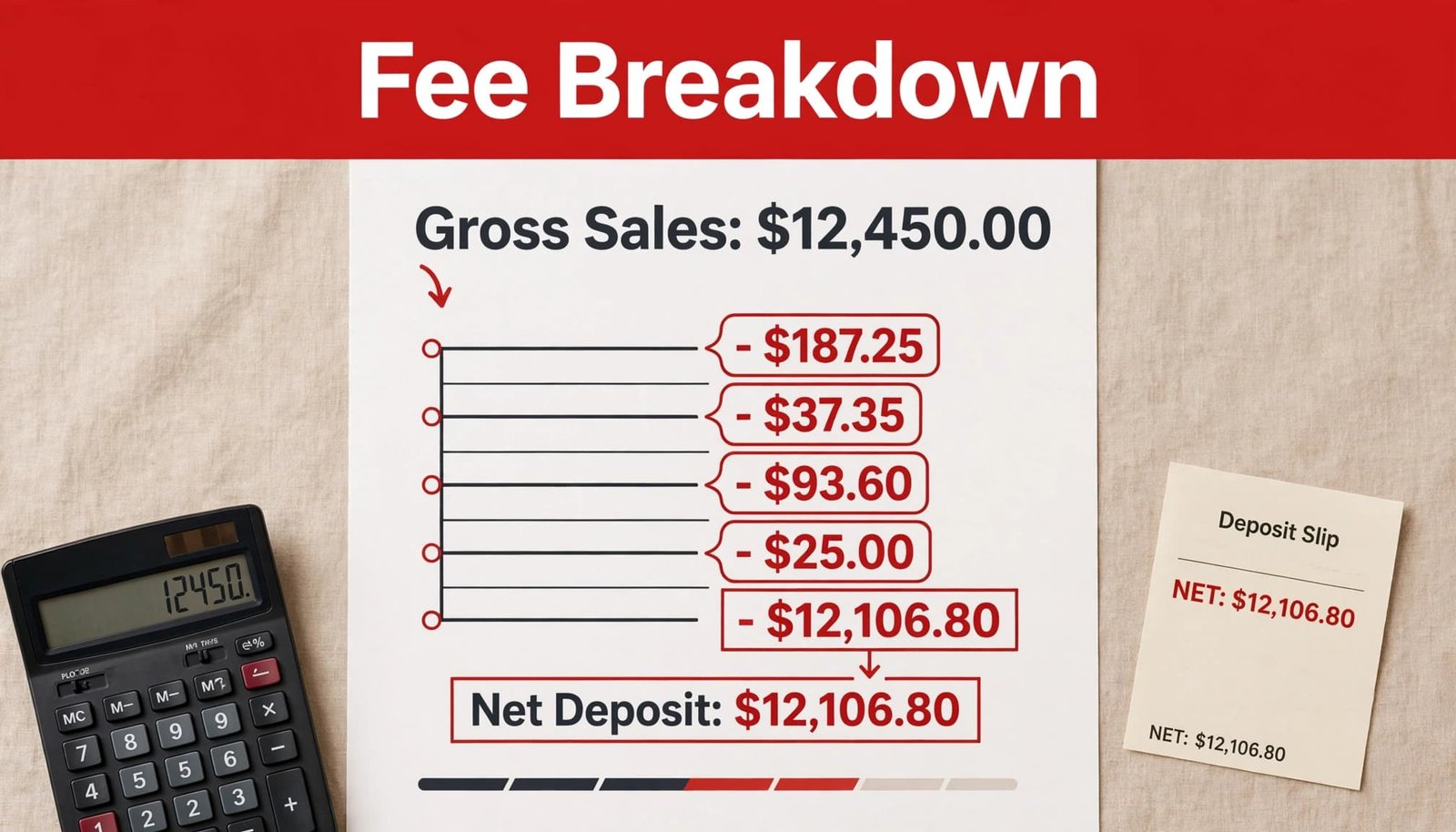
Common recurring and per-transaction fees
A statement can include statement fees, PCI program fees, gateway fees, batch fees, address verification fees, monthly minimums, retrieval fees, chargeback fees, and transaction fees.
It may also show authorization charges tied to an authorization request. Check the fee schedule to confirm what the label means. Don’t assume every authorization creates a separate fee.
A charge may be valid under your agreement even if it is unfamiliar. Obtain the full fee schedule and match each recurring or per-transaction line to the contract. Ask about gateway, PCI, statement, batch, retrieval, minimum, and chargeback charges before calling a line improper.
For a closer look at recurring charges that can build up over time, review these hidden merchant services fees.
What you can negotiate
You cannot negotiate Visa or Mastercard interchange schedules with your processor. You can often discuss the processor’s markup fees, per-item fee, monthly fees, equipment terms, gateway costs, and contract conditions.
Rates and fees vary by processor, card type, pricing model, business category, and contract. A restaurant with many debit transactions will not have the same cost pattern as an online retailer with higher fraud screening needs.
Identify Your Merchant Services Pricing Model
The fee presentation can reveal your pricing model. Knowing the pricing model matters because it changes what a fair comparison looks like. Confirm that pricing model before comparing rates.
Interchange plus pricing separates interchange, network assessments, and the processor’s stated markup. It can be detailed, but that detail makes month-to-month review easier.
Tiered pricing groups transactions into qualified, mid-qualified, and “non qualified” buckets. The last category represents transactions placed outside the lowest tier. The statement may show several rates without disclosing every underlying category. This can make comparison harder.
A low advertised rate may apply to only some qualified transactions. Ask which transaction types qualify and how much volume is allocated to qualified transactions.
Example, fictional: A business processes $25,000 in card payments. If only $8,000 qualifies for the lowest rate while the rest falls into higher tiers, the advertised rate does not describe the business’s true cost.
Ask the payment processor for a written explanation of each tier, the transaction types that qualify, required data, and a list of downgraded transactions. The fee-schedule questions outlined by Commerce Bank can also help you focus on interchange, assessments, and processor-added charges.
Flat rate pricing charges a single advertised percentage plus a fixed amount per transaction, although some services and special transaction types may still carry additional charges.
Understand interchange downgrades
These interchange downgrades happen when a transaction doesn’t meet the requirements for a lower-cost category. Missing data, entry method, settlement timing, card type, or transaction details may affect qualification.
Batch transactions promptly, keep terminals and POS settings accurate, and ask whether eligible commercial-card transactions can use Level 2 or Level 3 data. Your processor should be able to show which transactions were downgraded and why.
Calculate Your Effective Processing Rate
Your effective rate turns a complicated page of fees into one useful percentage.
Use this formula:
effective rate = total relevant fees / total processed card volume x 100
The formula divides total relevant fees by total processed card volume, then multiplies the result by 100. Both figures must cover the same statement period.
For the numerator, use total payment processing fees from that period. Include relevant costs such as interchange, assessments, markup fees, transaction fees, PCI fees, chargeback fees, gateway fees, monthly minimums, and statement fees.
This table uses fictional figures only.
| Statement item | Fictional amount |
|---|---|
| Gross processed card volume | $50,000 |
| Included fees | $1,450 |
| effective rate | 2.90% |
In this example, the effective rate is calculated by dividing $1,450 by $50,000, which equals 0.029, or 2.90%.
The effective rate doesn’t confirm that every fee is correct. It shows the overall cost of accepting cards during that period. Compare your own monthly results over time, rather than relying on an unsupported generic industry benchmark.
A lower rate isn’t always better if it removes needed fraud controls, reporting, POS support, or payment options. Still, a rising metric calls for an itemized review, not an automatic conclusion that a billing mistake occurred.
Review Chargebacks, Retrievals, and PCI Lines
Chargeback activity often appears in its own section, away from transaction fees. Review all chargebacks, retrieval requests, related fees, reversals, and final outcomes.
Chargebacks can remove the disputed transaction amount and add a separate fee. Each chargeback is a cardholder dispute, while a retrieval request is a documentation request that may occur before a formal dispute outcome.
For each case, record the transaction date, reason code, amount, customer details, receipts, delivery evidence, signed tickets, and digital order history. Then submit the requested documentation tied to those chargebacks before the processor’s stated deadline.
Use the statement to address chargeback fraud
A pattern of chargeback fraud, friendly fraud, duplicate claims, or suspicious online-order disputes may appear as a growing number of dispute lines. Compare each case with receipts, delivery evidence, signed tickets, and digital order history.
A recognizable billing descriptor and clear refund policy can reduce customer confusion, but they don’t prevent every dispute. If a dispute looks suspicious, use the recorded evidence and meet the processor’s stated response deadline.
Treat PCI charges as a prompt to verify status
PCI compliance fees, PCI program fees, and PCI non-compliance fees aren’t interchangeable labels. A compliance-related charge may cover a program or validation step, while a non-compliance fee reflects a separate status or penalty.
Ask what the charge covers, what validation is required, and whether a separate non-compliance charge can be avoided. The processing fee checklist from Strictly Zero is a useful reminder to ask about PCI, statement, gateway, and chargeback charges before they become recurring surprises.
Compare Each Statement Month Over Month
Compare the current merchant processing statement with prior periods before drawing conclusions. One month can be noisy. Three months can reveal a pattern.
Create a simple worksheet from each monthly statement, using the same period each month. Record total volume, transaction count, total fees, effective rate, refunds, chargebacks, monthly fixed fees, and net deposits. Review consistent periods, especially if your business has seasonal sales.

Look for changes with a clear operational cause, such as more online orders, higher average tickets, a new terminal, increased refunds, or a new location. Reconcile deposits to settlement reports and bank records, then compare transaction mix and qualified versus non-qualified volume. Flag changes that still lack an explanation.
Pay close attention when you see:
- An unexplained increase in your effective rate while your transaction mix stayed similar.
- New or increased markup fees, recurring charges, annual fees, or monthly minimum shortfalls.
- A shift from qualified to non-qualified transaction volume.
- New chargebacks, retrieval, or PCI-related fees that weren’t present before.
- Deposits that no longer reconcile with settlement reports and bank records.
Ask the payment service provider for written clarification. Request the current fee schedule, signed agreement, and transaction-level report from that provider. For an unresolved billing dispute or contract question, speak with a qualified accountant or attorney before taking formal action.
Frequently Asked Questions
What is a merchant services statement?
A merchant services statement is a monthly record of card sales, deposits, refunds, disputes, network costs, and processor charges. It helps you compare processed revenue with the money funded to your bank account.
Why don’t my deposits match my total card sales?
Deposits may differ from card sales because of refunds, chargebacks, withheld fees, reserves, adjustments, and settlement timing. Compare the deposit summary with settlement reports, bank records, and the statement’s processing cutoff dates.
How can I calculate my effective processing rate?
Divide total relevant processing fees by total processed card volume, then multiply by 100. Both figures must cover the same statement period for the result to be useful.
Which merchant services fees can I negotiate?
Processor markup, per-item fees, monthly fees, equipment terms, gateway costs, and contract conditions may be negotiable. Visa and Mastercard interchange schedules generally are not negotiable with your processor.
What should I do if I find an unfamiliar fee?
Match the fee to your signed agreement and complete fee schedule before deciding that it is improper. If the charge remains unclear, request a written explanation and a transaction-level report from your payment service provider.
Put the Statement Back in Your Control
A merchant statement should not feel like a mystery bill. Once you match sales to deposits, review fees, and check contract terms, each page becomes easier to use.
The strongest habit is a monthly review of sales, deposits, fees, and contract terms. Clear numbers create better decisions, especially when you document questions and request explanations in writing. Review the next statement to see whether a discrepancy was resolved, then confirm your effective rate fits sales, deposits, fees, and contract terms.