
A slow line, a missing item, or the wrong tax on a receipt can turn a routine sale into an expensive daily problem. The right Tennessee retail POS setup keeps checkout moving while giving owners a cleaner view of stock, staff activity, payments, and sales.
Your system should fit the way your store operates at its busiest, not only during a polished product demonstration. Use this checklist to compare point of sale systems for counter sales, pickup workflows, and inventory control. Confirm that online ordering fits your workflow without slowing retail checkout from the first day.
Key Takeaways
- Choose a Tennessee retail POS based on your busiest store workflows, including counter sales, returns, pickup, online ordering, and inventory tasks.
- Configure Tennessee sales tax by product category and store location, then test receipts and reports before opening day.
- Use integrated hardware and barcode-based inventory controls to speed checkout, manage variants and perishables, prevent overselling, and improve receiving accuracy.
- Add role-based permissions, age and lottery controls, payment safeguards, offline procedures, backups, and realistic staff training before launch.
Start With Your Store’s Real Requirements
A boutique in Knoxville, a Nashville convenience store, and a multi-location grocer may all accept cards, but they don’t need the same setup. Begin by comparing point of sale systems against your counter flow, product mix, staffing plan, and retail management needs.
Map the customer path before choosing features
Watch what happens during your busiest 20 minutes. Map the steps between scanning an item, applying a discount, accepting payment, and completing counter pickup or online ordering.
A counter with frequent cash payments needs a dependable drawer and fast change process. A store with frequent returns needs a clear receipt lookup process. A shop with high-ticket items may need customer records, signatures, or stronger manager approval rules.
- List every payment type you take, including cash, chip cards, tap payments, mobile wallets, gift cards, and checks.
- Identify peak periods, line-busting needs, and the number of checkout stations required.
- Compare the complete station’s hardware and software, including whether each device works independently or depends on one base terminal.
- Confirm battery life, replacement coverage, and support services before signing.
A restaurant point of sale demo may look fast, but a restaurant pos workflow may not handle retail SKUs, variants, and barcode scanning correctly. Test the actual retail tasks your staff performs before choosing a system.
Match the POS to your inventory workload
Retail inventory management is more than knowing what sold. Your system should track variants, suppliers, purchase orders, returns, transfers, receiving, and on-hand counts without forcing staff back into a spreadsheet.
A small apparel shop may need size and color matrices. A convenience store POS system needs quick barcode lookup, cigarette controls, and frequent replenishment. Grocery and specialty-food operators need a grocery point of sale setup with tighter controls for food and food ingredients, perishables, weighted items, and short-dated stock.
Ask whether counter, pickup, and online ordering sales channels synchronize with inventory. This helps prevent overselling and keeps stock counts accurate across locations.
For stores that need connected checkout, payment acceptance, and stock tools, review Tennessee retail POS systems against the actual work your staff performs every shift.
Configure Tennessee Sales Tax Before Opening Day
Your POS applies the tax rules you enter. It can’t decide whether an item is food, prepared food, candy, alcohol, or another taxable category, so item setup needs attention before the first customer reaches the counter.
Separate food from prepared food and candy
Tennessee applies a 7% state sales tax to most taxable retail sales. Food and food ingredients receive a 4% state rate, plus applicable local tax. Prepared food, candy, alcoholic beverages, and tobacco are taxed at the full 7% state rate, plus local tax.
Build separate tax groups in the POS, then assign every SKU to the correct group. Use the food and food ingredients group only for eligible items. The Tennessee Sales and Use Tax Manual provides current category guidance, including distinctions that can affect grocery, convenience store, and specialty retailers.
Run test sales for a grocery item, a candy item, a prepared-food item, a taxable nonfood item, and a discount. Review the receipt and the sales tax report before service begins. Compare the results with current Tennessee guidance instead of relying solely on POS defaults.
Use the rate for each store location
Local tax varies by jurisdiction. A store in Memphis may not use the same combined rate as a store in Nashville, Knoxville, or an unincorporated county location.
Set sales tax settings by physical store location, not by a single statewide rate. Check the state’s sales-tax rate overview when opening, moving, adding a location, or selling at a temporary site. For online ordering, pickup, or temporary-site transactions, confirm which store or jurisdiction configuration applies and verify the sales tax rate.
A tax report can look neat and still be wrong if products or store locations were assigned to the wrong tax group.
Build a Faster Checkout Station
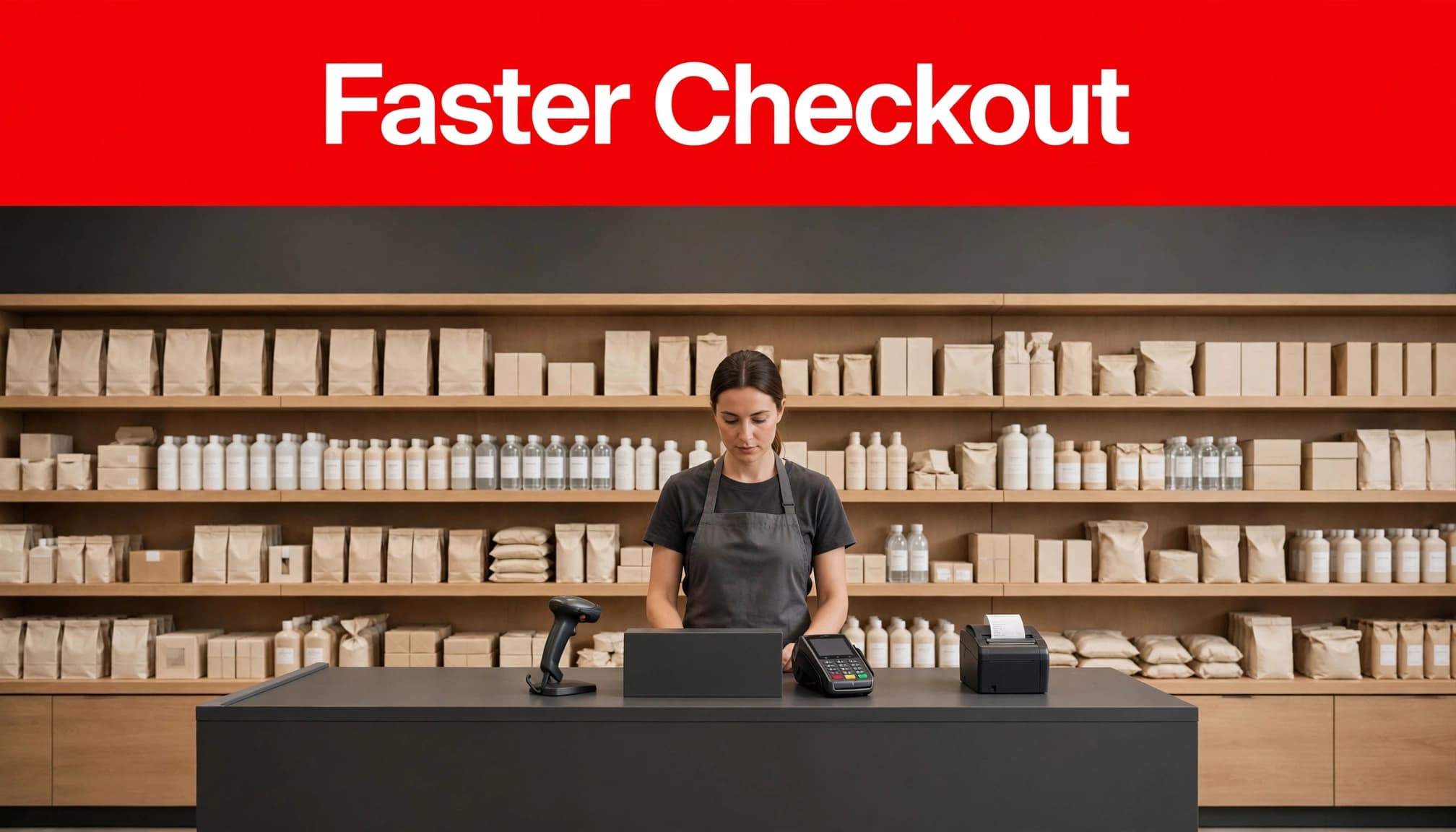
Checkout speed comes from fewer decisions at the counter. Put the right hardware in place, keep product data clean, and give staff a simple path for common transactions.
Choose hardware that reduces repeated steps
A practical retail station usually includes a touch-screen terminal, barcode scanner, card terminal, cash drawer, and receipt printer. Each component should work with the POS and payment processor without extra logins or manual re-entry.
A restaurant point of sale station may prioritize kitchen routing, while a retail station needs fast barcode scanning, item lookup, and customer-facing payment. Choose hardware based on the transactions your store handles most often.
Test your actual products, including food and food ingredients where applicable. Scan a UPC, sell a weighted item, apply a coupon, process a cash sale, and complete a chip or tap payment. A scanner that struggles with wrinkled labels or a printer that jams during a rush costs more time than it saves.
- Use an omnidirectional barcode scanner for high-volume counters.
- Place the payment terminal within easy customer reach for tap, chip, and PIN entry.
- Offer printed, texted, or emailed receipts, and test online ordering pickup or order routing when supported.
- Set receipt paper, scanner cables, and spare charging equipment in a defined backup location.
Test contactless payment and offline limits
Customers expect tap payments to work quickly. Confirm that the terminal supports EMV chip cards, NFC cards, and mobile wallets, then test each method in your live configuration.
Cloud POS systems can keep store data accessible across devices and locations, but offline capability differs by provider and setup. Some functions may continue on one device while gift cards, refunds, loyalty accounts, or cross-device updates do not.
Ask for written details about offline payment authorization limits, refunds, gift cards, synchronization, declined transactions, tips, and later reconciliation. Validate the current payment-provider documentation before launch. Then disconnect the internet during a controlled test, complete a small sale, restore service, and reconcile the transaction.
Control Inventory Before It Controls You
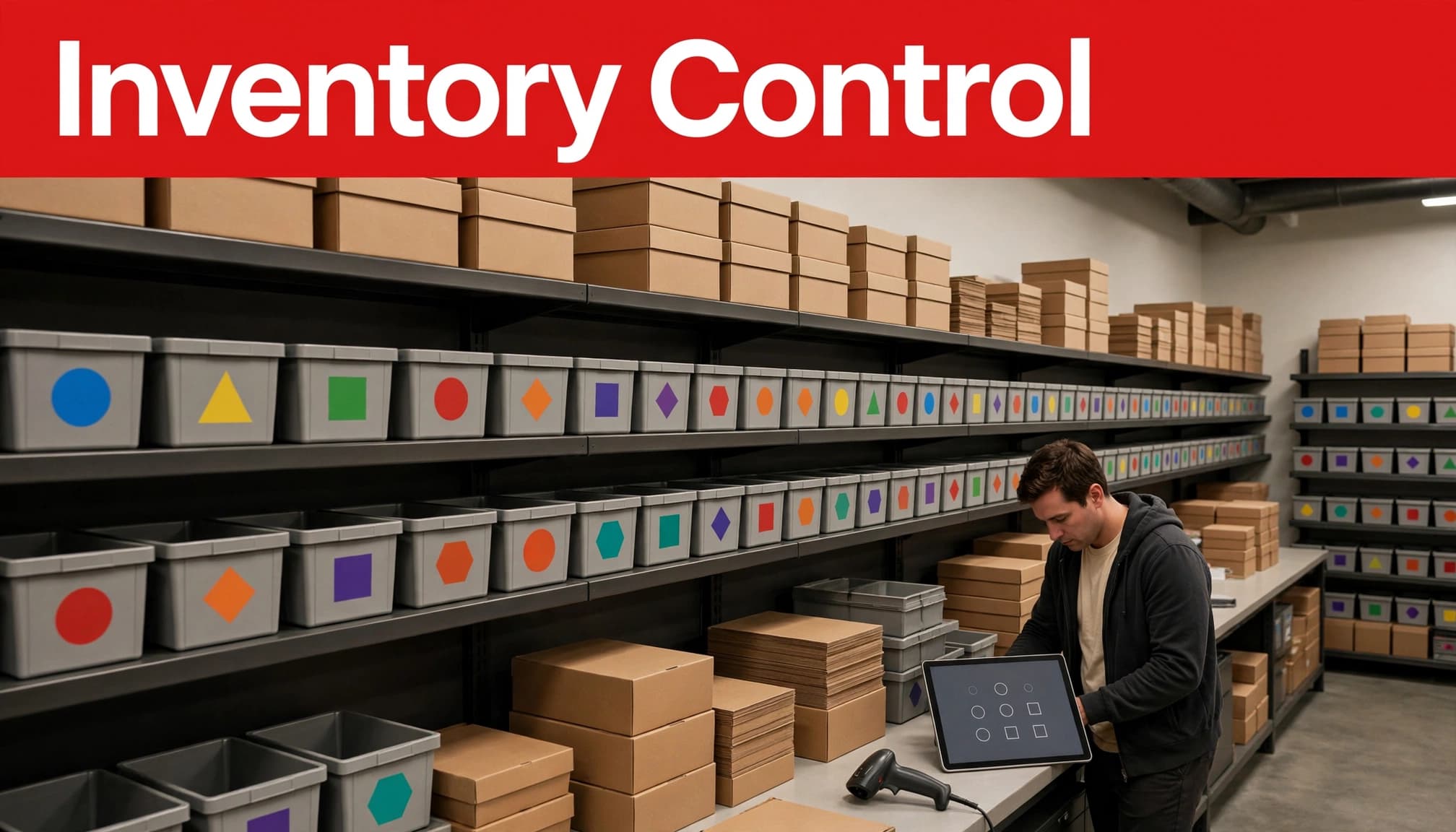
Inventory accuracy begins when every item has a usable SKU, barcode, cost, selling price, supplier, and reorder point. When those details are incomplete, low-stock alerts and reports can’t tell the full story.
For perishables, including food and food ingredients, record expiration dates and use short-dated stock first.
Count by barcode, not by memory
Use inventory tracking to connect receiving, on-hand counts, and transfers, with barcode scanning for cycle counts, adjustments, and returns. It gives staff one consistent item record and reduces the chance of changing the wrong product or variant.
Set low-stock alerts around the lead time that matters to your supplier. A fast-selling beverage might need an alert days before it runs out. A slow seasonal item may need a lower threshold to avoid tying up cash in excess stock.
Online ordering must decrement the same stock pool as in-store sales to prevent overselling.
- Create SKUs and barcodes for every sellable item and variant.
- Schedule small cycle counts by department instead of waiting for one painful annual count.
- Require a reason code for damage, shrink, expired goods, and inventory corrections.
- Review negative on-hand counts each week before placing new orders.
Make purchase orders and receiving part of one process
Purchase orders should begin in the POS or inventory management system, then move through approval, receiving, cost updates, and invoice review. Don’t allow receiving staff to guess at product costs or substitute items without a record.
Use supplier-specific purchase orders to see what was ordered, what arrived, and what remains open. For multi-location retailers, track transfers separately from sales so an item moved from one store to another doesn’t look like shrink or create inaccurate on-hand counts.
A retail cloud POS system can also help owners update prices, discounts, and inventory from one central view. Check whether accounting, e-commerce, loyalty, payroll, and online ordering integrations sync one way or both ways before connecting them. An integration designed for a restaurant point of sale may not support retail variants, supplier records, transfers, or purchase-order receiving, leading to overselling, duplicate receiving, or inaccurate on-hand counts.
Add Controls for Lottery, Alcohol, Tobacco, and Returns
Regulated items need clear staff prompts and manager oversight. The POS won’t replace licensing or employee judgment, but it can make the correct process easier to follow. These controls should fit your convenience store workflow, including returns and refunds.
Track lottery activity separately
Tennessee Lottery retailers receive a 6.5% commission on instant-ticket and drawing-style ticket sales. Retailers may also receive a 1% bonus for cashing Cash 3 and Cash 4 prizes, subject to lottery rules.
The Tennessee Lottery also describes a possible $50,000 selling bonus for a single jackpot-winning Powerball or Mega Millions ticket. Conditions may apply when multiple winning tickets are sold in the state. Review the current Tennessee Lottery retailer FAQs and keep lottery settlement separate from ordinary merchandise sales.
Don’t build a customer fee into prize validation or prize payment. Train staff on the approved lottery workflow and reconcile tickets, settlements, cash payouts, and commissions every day.
Configure age checks and wine controls
For in-person wine sales at retail food stores, TABC says staff must check identification for customers who don’t reasonably appear to be 50 or older. Build age verification into the POS, but train employees to follow your written policy instead of clicking through the prompt.
A TABC wine license has local and state requirements. The TABC wine-license checklist includes local zoning approval, occupancy documentation, sales tax filings, proof of premises possession, ownership forms, and Responsible Vendor Program participation. The listed license fee is $1,250 upon issuance.
Review current tobacco rules, accepted identification procedures, and local requirements with the appropriate agency before launch. Any online ordering or pickup workflow for restricted products needs a separate review of age checks, fulfillment, and applicable rules.
Restrict alcohol, tobacco, returns, voids, and price overrides to approved user roles. Require manager approval when a return involves a regulated item, missing receipt, or unusual refund method.
Protect Payments, Permissions, and Your Data
Fast checkout should never mean loose controls. A cashier needs enough access to complete a sale, but not enough access to change tax rates, issue unlimited refunds, or view sensitive reports.
Set permissions by job, not convenience
Create a unique login for every employee. Give cashiers access to sales, approved discounts, and basic returns. Limit price changes, voids, refund approvals, inventory adjustments, and tax settings to managers.
Review reports for voids, refunds, deleted items, no-sale drawer opens, and manual price overrides. Patterns often reveal training gaps, process failures, or possible misuse before they become a larger loss.
Use payment technology that keeps card data out of back-office computers whenever possible. When comparing merchant services, review credit card processing terms, fees, settlement timing, and support, not just advertised rates. Maintain software updates, inspect terminals for tampering, and never allow staff to write down card numbers.
Back up the setup and train for the rush
Export or back up product data, customer records where appropriate, tax groups, employee roles, and reports on a regular schedule. Confirm how quickly data can be restored and who has administrative access if a device fails.
Staff training should include more than a quick screen tour. Run realistic transactions: a barcode sale, cash payment, contactless payment, return with receipt, refund without receipt, discount, age-restricted item, and low-stock alert. Test an internet outage too, including whether online ordering, pickup status, inventory deductions, and payment reconciliation continue or queue.
Ask every provider for written details covering hardware, software, payment processing, support services, replacement coverage, contract length, early termination terms, and data recovery. The lowest advertised rate often leaves out the terms that affect your first year.
FAQ
Can self-checkout help a Tennessee grocery store?
Self-checkout systems can reduce pressure on staffed lanes when customers buy a few items and the store has a clear attendant process. They need reliable scanners, scale controls where required, age-restricted item prompts, receipt handling, and staff assigned to exceptions.
Test self-checkout during a busy period before expanding it. A poorly monitored lane can create more intervention work than a traditional register.
What should a retail POS do during an internet outage?
The system should have a documented fallback plan. Depending on the provider and configuration, staff may be able to enter sales locally or store certain transactions for later processing, but not every feature will remain available.
Assign employees to specific stations during an outage. Confirm whether online ordering can queue orders, along with pickup status, inventory changes, and payment records. Test whether contactless payment remains available and how it reconciles after service returns. Also test receipts, returns, and reporting.
Which reports matter most for inventory control?
Start with on-hand inventory, low-stock items, sell-through, inventory adjustments, receiving discrepancies, gross margin, returns, and product movement by location. Review them on a schedule, then use the results to change reorder points, counts, or staff processes.
A report only helps when someone owns the next step. Assign a manager to investigate unusual adjustments and repeated out-of-stock items.
Put Your Tennessee Retail POS Checklist to Work
A strong Tennessee retail POS setup connects counter sales and online ordering with fast payment acceptance, barcode-based inventory, and clear staff permissions. Every channel should support faster retail checkout and accurate stock control. The most useful system is the one your team can run correctly during a Saturday rush, a return, or an internet outage.
Test the setup with real products and real store scenarios before going live. Speed and control come from the daily process behind the screen, not the screen alone.