
Credit card processing payouts commonly reach your business bank account within 1 to 3 business days after transactions are captured and submitted for settlement. First payouts, missed batch cutoffs, bank holidays, and account reviews can extend that timeline.
For your business, the important date is when money becomes available to spend. An approved sale or a payment processor’s “paid” status doesn’t always mean your bank has posted the deposit.
Understanding the stages helps you plan payroll, purchase inventory, and manage daily expenses.
What payout timeline should you expect?
Your funding arrangement determines how quickly eligible sales reach your bank.
| Payout option | Typical timing | Main limitation |
|---|---|---|
| Standard funding | Commonly 1 to 3 business days after capture and batching | Processor and bank schedules |
| Next-day funding | Next eligible business day | Cutoff and account eligibility |
| Same day funding | Same eligible business day | Submission deadline and availability |
| Instant funding | Often within minutes | Eligible funds, transfer limits, and fees |
| First payout | Can take longer than recurring payouts | Onboarding and risk review |
These windows describe different services, not guaranteed arrival times for every merchant. Standard funding may already include next-business-day deposits under your agreement.
Key Takeaways
- Daily payouts describe how often transfers happen, not how quickly each sale becomes eligible.
- Weekends and bank holidays can extend standard funding timelines.
- Faster funding usually has eligibility conditions and may carry an additional fee.
Processor balances aren’t bank deposits
Some platforms use embedded finance to offer an instant payout of eligible funds inside their own financial products. Square, for example, generally makes processed payments available immediately in Square Checking, subject to technical issues and other conditions.
That differs from transferring funds to an external business bank account, which follows a separate schedule.
What happens between the card payment and the deposit?
Every sale passes through several stages in the credit card processing process for merchant payment processing. Each stage completes a different job.
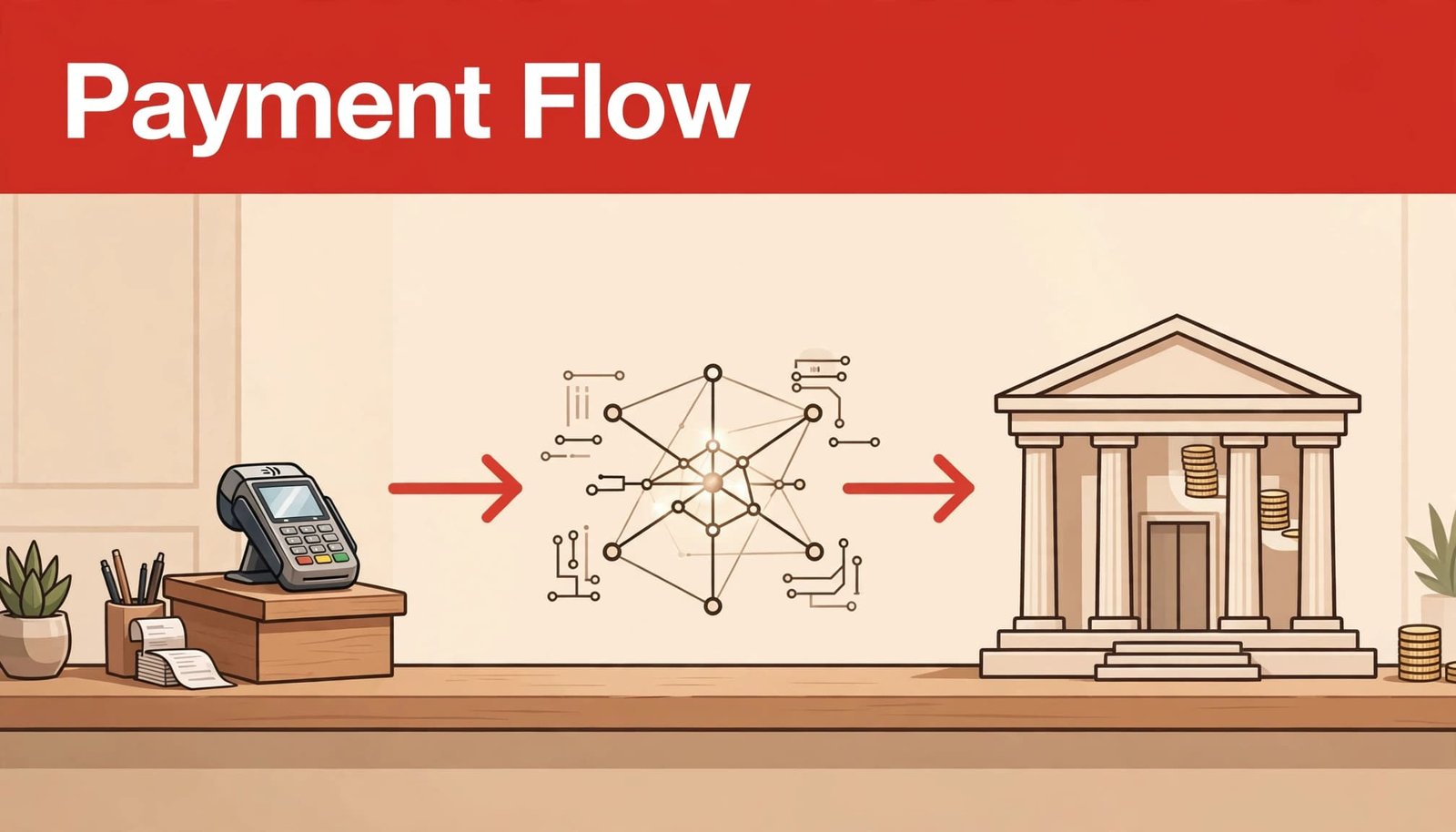
- Your POS system or gateway sends an authorization request through the processor and card network. The issuing bank approves or declines it.
- Capture finalizes the amount you intend to collect. Restaurants may add tips before submitting the final charge.
- The transfer moves funds through the card network from the issuing bank to the acquiring bank, also called the merchant bank.
- Funding transfers the available proceeds to your business bank account, where the bank posts the deposit.
Authorization usually happens within seconds. The remaining steps commonly take one or several business days, depending on the processing arrangement.
A customer’s pending charge follows the issuer’s timeline. It doesn’t establish when your business receives its payout.
How do daily schedules, cutoffs, and holidays affect funding?
Daily payouts can contain older sales
A daily payout schedule means the processor sends eligible funds each payout day. Those funds may come from transactions captured two business days earlier.
Batch timing also matters. Check your processor’s cut-off time and time zone. Missing the submission deadline can move transactions into the next processing window. Some funding programs use overnight deadlines, such as 3:00 a.m. EST; there’s no universal industry cutoff.
Automated daily batch closeout helps keep completed sales moving toward funding. Your POS business date and processor reporting date may differ when you operate after midnight.
Banking days control standard transfers
Standard bank transfers commonly follow business-day schedules. Friday transactions on a two-business-day timetable may reach the next stage Tuesday, assuming Monday isn’t a bank holiday.
The processor’s processing period, transfer initiation, and receiving bank’s posting time are separate parts of the timeline. The processor coordinates with the merchant bank. Some arrangements combine these stages into one funding promise.
A payout marked “sent” confirms that the processor initiated the transfer. Your bank’s available balance confirms that you can spend it.
Why do first payouts and reserve holds take longer?

Initial payouts include additional review
A new merchant account may need identity verification, bank-account validation, and underwriting before normal funding begins. Incomplete ownership information or mismatched banking details can extend the process.
Stripe typically completes an initial payout within 7 to 14 days after the first live payment. This provider-specific window isn’t standard across all merchant accounts.
Build your opening cash-flow plan around the initial funding arrangement. Don’t assume your first weekend’s sales will follow the recurring payout schedule.
Holds and reserves restrict otherwise eligible funds
Processors may review unusual sales spikes, unexpectedly large tickets, elevated disputes, or transactions outside the approved business profile.
A reserve withholds part of your proceeds against potential refunds or chargebacks. A rolling reserve releases withheld amounts according to an agreed schedule.
These restrictions can delay access beyond ordinary settlement. There isn’t one reserve percentage or holding period that applies to every business.
Do debit, credit, online, and in-person payments fund differently?
Debit doesn’t automatically mean faster funding
A debit payment can reduce the customer’s available balance immediately without creating an immediate merchant deposit. Debit and credit card sales may follow the same payout schedule.
Routing, card-network arrangements, and your processing agreement determine whether particular transactions fund differently. The customer’s authorization experience doesn’t establish your deposit date.
Online transactions can involve additional steps
Online businesses may authorize at checkout but capture when merchandise ships. That delay occurs before the usual settlement clock begins.
Card-not-present transactions also carry different fraud risks and may receive additional review. However, online payments don’t universally fund slower than in-person payments.
American Express OptBlue lets eligible businesses accept Amex through their regular processor. Businesses below $1 million in annual Amex volume can qualify; the general US eligibility threshold is below $3 million, subject to restrictions.
Which fees reduce your payout?
The merchant discount rate, commonly around 2% to 3%, bundles processing fees for interchange, network assessments, and processor charges. SoFi places average credit card processing costs between 1.5% and 3.5%.
Interchange fees go to the issuing bank. Roughly 700 interchange fee categories account for card type, transaction method, industry, and qualification details.
Commonly quoted Visa examples include:
| Transaction category | Illustrative interchange rate |
|---|---|
| Card-present credit | 1.29% to 2.5% plus $0.10 |
| Card-not-present credit | 1.58% to 2.7% plus $0.10 |
| Eligible regulated debit | 0.05% plus $0.21, potentially $0.22 with the fraud adjustment |
These aren’t universal rates. Regulated debit pricing doesn’t apply to every debit card, and qualification requirements affect credit-card rates.
Network assessments go to the card brands. Older quoted figures of Visa 0.11%, Mastercard 0.095%, and Discover 0.0925% equal 11, 9.5, and 9.25 basis points. They aren’t a complete current network-fee schedule.
Your four-digit Merchant Category Code identifies your primary business activity. It can affect interchange eligibility and customer rewards.
Processor charges may include authorization, gateway, batch, monthly fee, and chargeback fee charges. Under agreements that charge per authorization request, the fee applies whether the transaction is approved or declined.
With daily discounting, fees reduce individual deposits. With monthly billing, processing charges may appear later as a separate bank debit. Refunds, disputes, and reserves can also change the funded amount.
How do pricing models and faster funding change the cost?
Your merchant service provider’s pricing model determines how processing charges appear.
| Pricing model | How charges are structured |
|---|---|
| Interchange plus pricing | Interchange and network costs plus processor markup |
| Flat rate pricing | A stated rate for a transaction category |
| Tiered pricing | Qualified, mid-qualified, and non-qualified rates |
| Subscription | Monthly fee plus transaction and pass-through charges |
Compare the complete bill, including processing fees, rather than the headline percentage.
At an illustrative flat rate of 2% plus $0.10, a $100 in-person payment leaves $97.90 before other adjustments. At 2.5% plus $0.10 online, it leaves $97.40. These are calculation examples, not advertised United Banc Card of TN rates.
A cash discount changes the price customers see, not the payout schedule.
Faster access adds another potential expense. Clover Rapid Deposit’s published terms list a 1.75% fee and a $10,000 daily maximum, potentially lower for new merchants. Requests aren’t limited in number within the applicable cap.
Eligible transfers use a linked Visa or Mastercard debit card. A $1,000 Rapid Deposit costs $17.50 separately from processing charges. Older descriptions quoting a 1% fee and $10,000 per request shouldn’t be treated as current terms.
How can you track and improve payout timing?
A consistent funding routine gives you better visibility and helps prevent avoidable delays.
- Identify the transaction’s stage in your dashboard. Separate authorized, captured, pending settlement, available, sent, and failed statuses.
- Review the assigned payout schedule, batch cutoff, and time zone. Enable automatic closeout and complete required tip adjustments before submission.
- Match each payout identifier to its batch report and bank deposit. Our guide to reconciling POS sales and deposits explains how deductions affect the match.
- Resolve the specific exception. Complete outstanding verification, correct rejected bank details, or supply invoices and fulfillment records requested during a review.
Keep PCI compliance records current as part of account administration. For a payout hold, follow the processor’s specific verification or release requirements.
For a sent payout that hasn’t posted, use its transfer reference when contacting your bank. For funds still held, ask your payment processor for the hold reason and release conditions.
At United Banc Card of TN, our 24/7 technical support helps merchants address processing issues. Keep batch identifiers, transaction dates, and payout references available so the funding stage can be identified quickly.
Frequently asked questions about payout timing
Can instant funding bypass a reserve?
Generally, no. Instant funding accelerates the transfer of eligible available funds. It doesn’t automatically release money restricted by a reserve, verification requirement, or risk review.
Does a smaller deposit mean funds are missing?
Not necessarily. Processing fees, refunds, chargebacks, reserve deductions, or financing repayments can reduce the deposit. Match the payout detail to the associated batches before treating the difference as missing revenue.
Should you pay for faster funding every day?
Compare the transfer fee with the cost of waiting. Faster funding can help cover a time-sensitive obligation, but repeated percentage-based charges reduce the proceeds you keep.
Plan Around Available Funds
Reliable cash flow starts with understanding when deposits become spendable. Your payout schedule, capture timing, banking calendar, and account conditions all influence that date.
Use actual deposit history to plan routine expenses. Reserve faster funding for situations where its cost makes business sense. With clear reporting and consistent closeout procedures, card revenue becomes easier to manage.