
7 POS Systems Small Eateries Will Appreciate
Small eateries need a restaurant POS system that keeps service moving, controls expenses, and gives owners a clear view of daily performance. When searching for POS systems for small restaurants, owners look for affordable, easy-to-setup platforms ready for cafes, bakeries, bars, food trucks, delis, and small dining rooms.
This guide compares menu builders, checkout tools, kitchen displays, inventory tracking, and payment processing. The right POS for small restaurant helps staff build combos instantly, remove sold-out items, and identify top revenue drivers when implementing modern POS systems for small restaurants.
Start with essential features today, then scale online ordering, loyalty, or kitchen tools as your business grows. Use this guide to compare systems, reduce waste, speed checkout, and gain better control over every shift with reliable POS systems for small restaurants.
Key Takeaways
- The best POS systems for small restaurants should match their specific service styles, whether they operate as a cafe, bakery, bar, food truck, deli, quick-service restaurant, or full-service dining room.
- Compare menu customization, kitchen display systems, inventory management, online ordering, payment processing, reporting, employee tools, and offline mode before choosing POS systems for small restaurants.
- Square and Clover offer simple setup and accessible hardware, while Toast, Lightspeed, Revel, and SpotOn provide more advanced kitchen, inventory, reporting, and customer engagement tools.
- Don’t evaluate POS systems for small restaurants by their monthly software fees alone; also review hardware costs, processing rates, transaction fees, contract terms, add-ons, onboarding, and customer support.
- Test two or three shortlisted POS systems for small restaurants with your actual menu and service workflow before signing, including ordering, kitchen routing, refunds, tips, reporting, and busy-period performance.
7 Restaurant POS Systems Small Eateries Will Appreciate
When evaluating POS systems for small restaurants, owners need platforms that combine intuitive workflows, reliable kitchen routing, and scalable tools. The following POS systems for small restaurants have been selected to help operators improve speed, accuracy, and profitability across various dining formats.
1. Square for Restaurants: Best for a free starting plan and simple setup
Square for Restaurants is a restaurant POS system that helps small eateries start selling quickly. When evaluating POS systems for small restaurants, owners appreciate its free plan and affordable hardware packages that suit coffee carts, food trucks, pop-ups, bakeries, and quick-service restaurants. A Square Stand or card reader functions as a mobile POS, with setup often finished in one afternoon.
The menu builder supports modifiers, combo meals, size options, special requests, and sold-out items. Staff select options without searching through complicated screens, keeping lines moving during busy periods. Owners can also create separate menus for breakfast, lunch, dinner, catering, or special events.
Square includes core features small teams need. Sales reporting shows best sellers, hourly volume, average order values, and staff activity. Inventory management tools track item counts and send low-stock alerts, helping owners prepare before popular products run out.
Online ordering, QR ordering, and counter sales flow through the same system. This reduces duplicate entry and gives the kitchen one order queue to follow through a kitchen display system. Restaurants can also add curbside pickup, order-ahead services, loyalty features, payroll, time tracking, customer loyalty programs, and tip management as their needs change.
Flat-rate payment processing makes transaction fees easier to estimate, although owners should still review current rates and plan details before signing up. Square doesn’t require a long contract for many products, and businesses can add features without purchasing a large software package all at once.
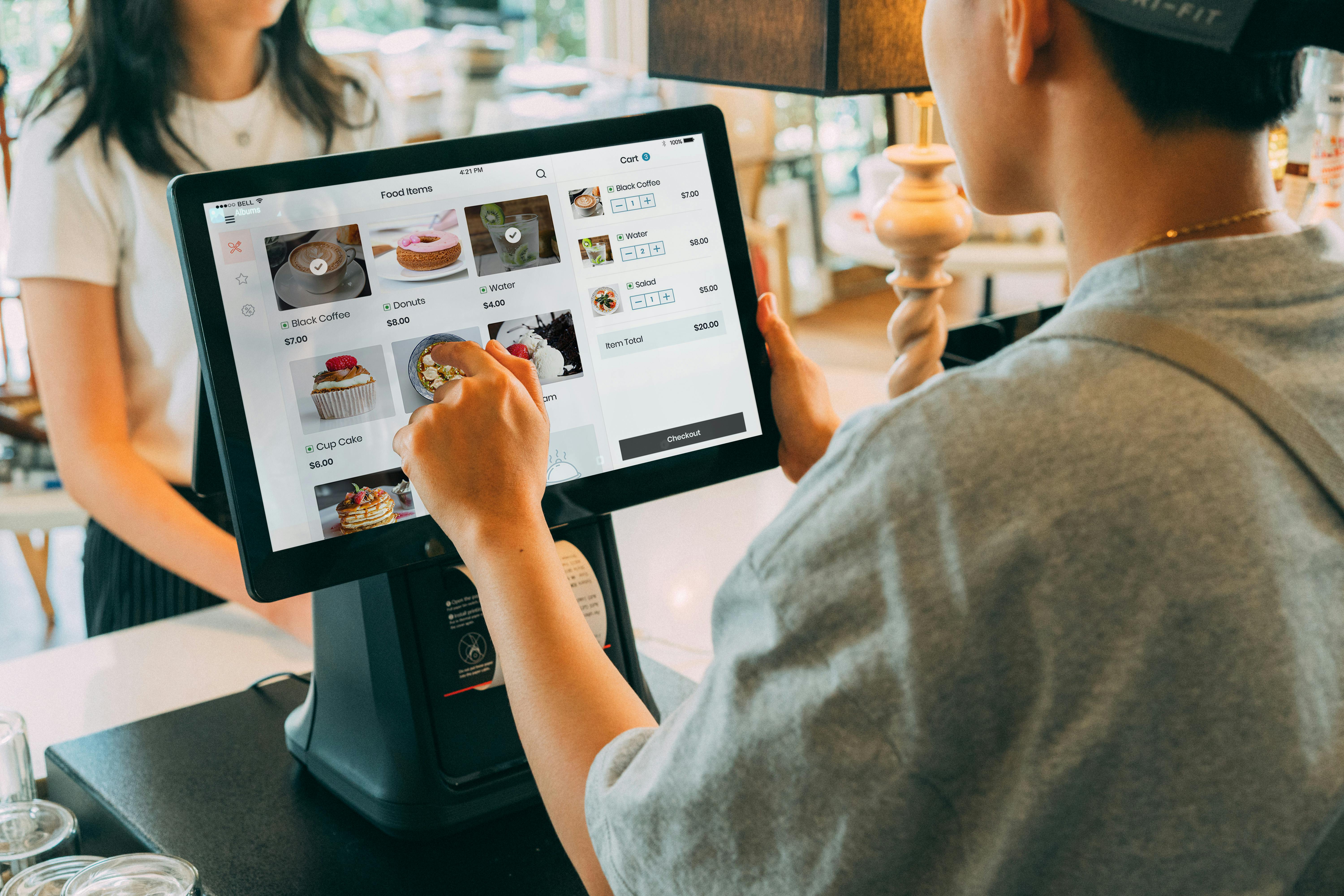
Square is a strong option for owners who want an affordable restaurant POS system with a short setup process. It offers helpful menu customization, basic inventory tracking, clear sales reporting, and customer loyalty programs. It may not provide the deepest controls for complex, multi-location operations, but it gives small teams the tools they need to accept payments and manage daily service.
2. Toast: Best Android POS for busy kitchens
Toast is a restaurant POS system built for active kitchens, quick ticket times, and a high volume of modifiers. Its Android-based hardware includes terminals, handheld devices, and kitchen display systems that help staff send orders to the correct preparation area.
The kitchen display system, or KDS, organizes tickets, highlights delays, and routes food and drink items to different stations. A kitchen can send burgers to the grill, drinks to the bar, and desserts to a separate prep screen. This setup reduces confusion when several employees work on the same order.
Toast’s menu tools support modifiers, combo meals, lunch specials, add-ons, and timed menus. Handheld devices support tableside ordering and give servers a mobile POS for patios, entrances, or dining rooms. Managers can use floor plan management and table management tools to organize service sections and table layouts. Counter-service businesses can also use handhelds to reduce lines during lunch rushes and outdoor events.
As a cloud-based POS, Toast allows managers to update prices, change menus, and mark items as unavailable without standing at the main terminal. With online ordering, tickets can move directly to the KDS with estimated pickup times. Third-party integrations with services such as DoorDash and Uber Eats can reduce the need to re-enter orders from delivery services manually.
Ingredient tracking, item countdowns, and recipe-level cost tools support inventory management, helping restaurants manage popular products and monitor margins. Reports show sales by hour, menu mix, modifier use, voids, discounts, and preparation times. Owners can use this information to adjust staffing, simplify menus, or review items that take too long to prepare.
Toast also offers payroll, loyalty, ordering, inventory, staff scheduling, and employee management. These additions can make the system useful for a growing restaurant, but they increase the total cost. Hardware packages may reduce the initial expense, so read the contract carefully and confirm the term, replacement policy, transaction fees, payment processing rate, and cancellation conditions.
Before choosing Toast, request written pricing for every feature you expect to use during the next six to 12 months. A smaller package can be a better fit for a new restaurant than a broad bundle filled with tools you aren’t ready to use.
3. Lightspeed Restaurant: Best for detailed inventory and multiple locations
Lightspeed Restaurant is a strong restaurant POS system for owners who need precise inventory, recipe costing, vendor management, and multi-location reporting. It goes beyond basic item counts with inventory management for ingredients, yields, waste, prep quantities, and plate costs.
Owners can create recipes showing the amount of each ingredient used in a dish. When an item sells, the system can reduce those ingredients from inventory and update food-cost information. Par levels and purchase orders help managers reorder supplies before stock reaches a critical point.
The platform also supports supplier records, preferred vendors, purchase planning, and waste tracking. These tools help restaurants monitor food costs closely and manage several locations with different ordering schedules.
Lightspeed supports shared menus, pricing rules, promotions, and floor plan management across multiple stores. Managers can keep core information consistent while allowing each location to set local taxes, hours, specials, service areas, or seasonal products. Table management tools can also reflect each location’s layout and operating needs.
The menu settings support breakfast, lunch, and dinner service, along with combo pricing, modifiers, and real-time item availability. When an item is marked unavailable, the change can reach the kitchen display system and online ordering channels quickly.
The reporting tools provide detailed sales reporting for modifiers, sales channels, preparation stations, and item profitability. Managers can use these reports to identify slow kitchen stations, high-waste ingredients, popular add-ons, and products that sell well but deliver weak margins.
Lightspeed also includes tip management features for pooled tips, tip-outs, and end-of-shift calculations. Employee reports can help owners compare staffing levels with actual sales patterns, supporting better staff scheduling and labor management decisions.
An offline mode lets staff continue taking payments during a temporary internet outage. Sales and inventory information can sync after the connection returns. The platform also connects with accounting, delivery services, loyalty, reservations, and other tools through third-party integrations.
The higher monthly subscription cost may be worthwhile for full-service restaurants with complex menus or multi-location operations. Lightspeed is best for owners who want accurate cost information and are prepared to use detailed operational reports.
4. Clover: Best for plug-and-play hardware and simple packages
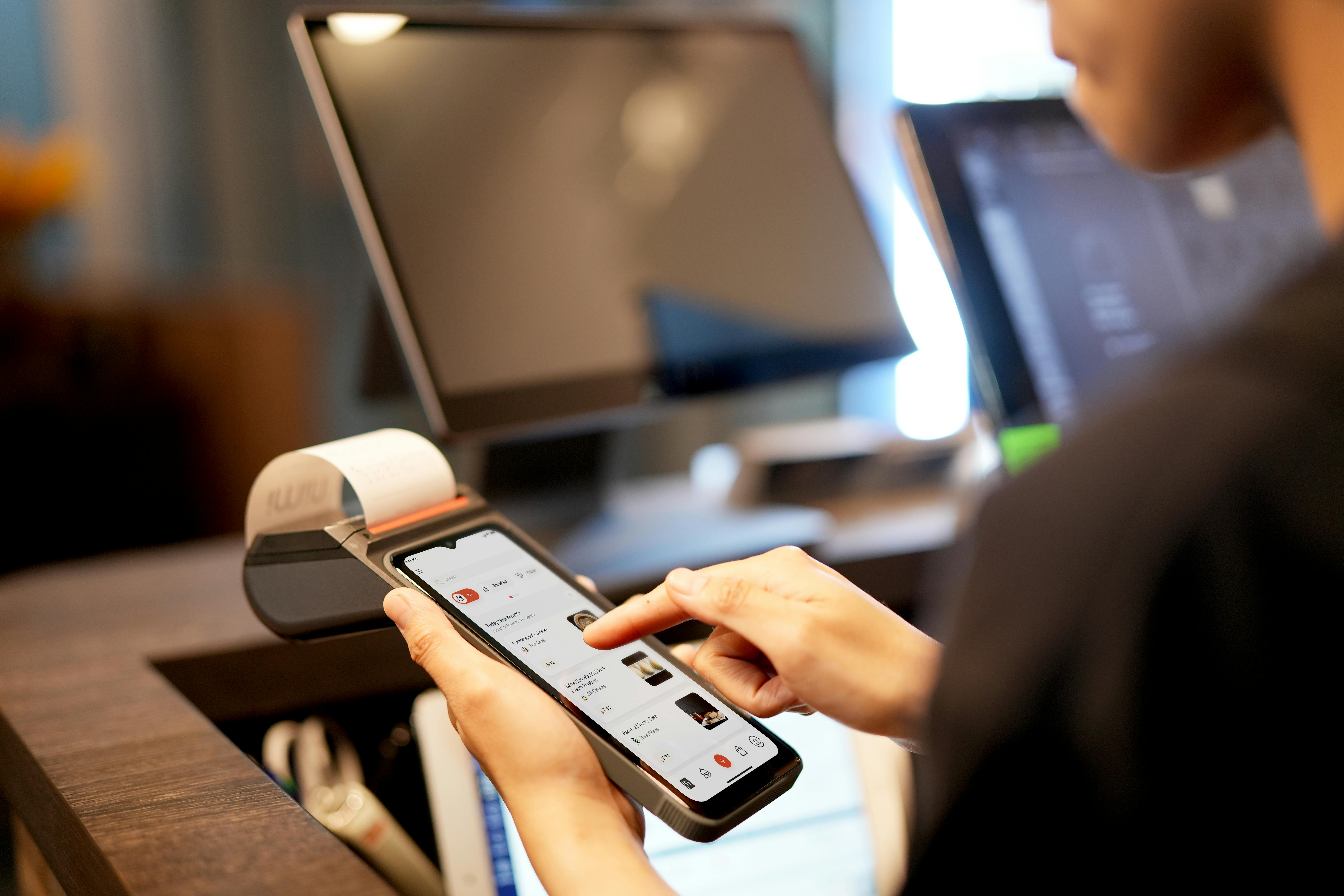
Clover offers an all-in-one restaurant POS system for cafes, bars, delis, food trucks, and small restaurants. The Clover Mini, Flex, and Station support counter ordering, online ordering, tableside payment, and mobile checkout.
Tap, chip, and mobile wallet payments make Clover useful for busy mornings and high-volume counter service. The Flex works as a mobile POS for tableside ordering and patio checkout. A food truck can use it without installing a large counter terminal.
Clover’s app marketplace adds tools for specific business needs. Restaurants can connect a kitchen display system, scales for deli items, age verification, kitchen printers, and other third-party integrations.
Clover’s basic point of sale features include menu items, variants, modifiers, combo pricing, receipts, payments, and basic inventory management. Reports show best sellers, slow-moving products, sales by hour, and payment activity. Role-based permissions help owners limit discounts, refunds, voids, and other sensitive actions.
Clover Rewards can collect customer information and support customer loyalty programs at checkout. Digital receipts, tip prompts, and customer-facing displays can support repeat visits and higher order totals.
The main consideration is credit card processing and payment processing pricing. Clover transactions run through Clover or Fiserv, and transaction fees depend on the provider, plan, equipment, and contract terms. Compare hardware packages, leases, monthly subscription costs, processing rates, renewal terms, and cancellation charges before committing.
Clover works well for owners who want fast installation and straightforward hardware. It may not provide the same ingredient tracking or multi-location controls as advanced platforms, but its simple bundles suit small teams that value convenience over extensive configuration.
5. Revel Systems: Best for counter service, table service, and drive-thru operations
Revel Systems suits full-service restaurants and quick-service restaurants that combine counter ordering, table service, takeout, and drive-thru sales. Its restaurant POS system supports floor plan management, table management, menu modifiers, and kitchen routing.
Restaurants can create breakfast, lunch, and dinner menus with time-based pricing. Drive-thru timers track the time between the order point and pickup window, while a mobile POS supports tableside ordering and payments at the window. An EMV-compliant setup also accepts chip, tap, and mobile wallet payments.
Revel provides detailed inventory management for recipe ingredients, waste reasons, prep logs, and reorder rules for preferred suppliers. Recipe-level information helps managers compare food cost with menu prices and identify products needing a pricing or portion adjustment.
Employee tools include role permissions, scheduling support, labor forecasting, tip pooling, and performance reports. Real-time dashboards show item voids, preparation delays, hourly sales, and other information managers can use during a shift.
The platform also supports multi-location restaurant operations. Owners can publish standard menus, prices, and promotions across stores, then adjust taxes, hours, seasonal products, and sold-out lists for each location. Reports compare product mix, labor-to-sales ratios, and sales performance by store.
Restaurants with a commissary can use batch recipes and transfer records to track food moving between locations. This helps maintain more accurate cost information across the business.
Revel requires a larger initial investment than basic POS options. Hardware, networking, implementation, and employee training all need to be included in the budget. In return, the system provides advanced reporting, detailed controls, and room for larger operations.
A phased rollout can reduce disruption. Start with the busiest location, test kitchen routing and combo rules, train employees, and correct service problems before adding more stores. A kitchen display system, drive-thru timers, customer displays, online ordering, and third-party integrations can be added as order volume increases.
Revel is a strong choice for restaurants with multiple service channels and a clear need for detailed controls. Smaller operations with simple menus may find it more complex than necessary.
6. SpotOn Restaurant: Best for menu performance and customer engagement
SpotOn Restaurant is a restaurant POS system for small eateries that need menu management, kitchen operations, online ordering, reservations, waitlists, and loyalty. It helps owners improve service speed while encouraging guests to return.
Dynamic menus can change by daypart, location, or item availability. Restaurants can mark ingredients as sold out, promote high-margin specials, and display different products across the POS, website, and ordering screens.
The kitchen display system sends tickets to the proper prep station, highlights modifiers, and identifies delayed items. This helps reduce missed requests and remakes, especially in kitchens with several work areas.
SpotOn also includes tip prompts that present gratuity options clearly during checkout. QR ordering, order-status messages, and online ordering reduce pressure on front-of-house employees during busy periods.
Reservations and waitlists support floor plan management, while table management tools help teams organize seating during busy periods. The customer loyalty programs can track item-level spending and reward guests based on visits or purchases.
Owners can create offers for frequent guests instead of giving the same discount to everyone. Combo rules, suggested add-ons, and online upsells can also increase order values when used carefully.
SpotOn’s sales reporting tools support menu analysis by showing sales mix, item performance, contribution margin, voids, and preparation times. Inventory management features can connect item availability and cost information to pricing and promotion decisions.
Online order limits and time-slot controls help protect dining-room service during busy periods. Managers can restrict pickup orders accepted at certain times instead of overwhelming the kitchen.
SpotOn typically uses custom pricing, so request a complete quote covering software, payment processing, transaction fees, KDS screens, loyalty, reservations, online ordering, onboarding, and customer support. Menu-building assistance and employee training can shorten setup time for owners without a dedicated technology manager.
SpotOn is a good fit for small restaurants that want customer engagement features alongside POS and kitchen tools. It gives owners several ways to improve repeat visits, increase order totals, and review menu performance without relying on separate systems.
7. Square, Toast, Lightspeed, Clover, Revel, or SpotOn? Compare the right features
Choosing between POS platforms gets easier when you compare the functions that affect daily service. A restaurant POS system should match your service style and operational needs. Full-service restaurants may prioritize table management, tableside ordering, and reservations. Quick-service restaurants may prefer fast counter payments, simple menus, and efficient kitchen routing. Food trucks often need portable hardware, offline mode, and quick setup.
Before making a decision, review these areas:
- Menu customization for modifiers, combos, sizes, add-ons, daypart pricing, and sold-out products
- Kitchen display system and printer options for routing orders to the correct preparation area
- Inventory management tools for ingredient counts, recipes, waste, purchase orders, and low-stock alerts
- Online ordering and third-party integrations for pickup, delivery, QR orders, and order-ahead service
- Sales reporting for revenue, labor, product mix, discounts, refunds, voids, and item profitability
- Payment processing rates, transaction fees, contract length, hardware packages, monthly fees, and cancellation terms
- Employee tools for permissions, time tracking, staff scheduling, tips, and payroll
- Offline mode for accepting payments when the internet connection is interrupted
- Dining-room features for floor plan management, reservations, and service coordination
- Support, onboarding, training, replacement policies, and technical assistance
Don’t compare only the monthly software fee. The real cost may also include card processing, hardware leases, KDS screens, customer displays, online ordering, loyalty, payroll, delivery connections, installation, and support.
Frequently Asked Questions
What is the best POS system for a small restaurant?
The best option depends on the restaurant’s service style, menu complexity, budget, and growth plans. Square and Clover are practical for simple operations, while Toast, Lightspeed, Revel, and SpotOn may suit restaurants that need more advanced kitchen, inventory, reporting, or customer engagement features.
How much does a restaurant POS system cost?
Costs may include monthly software fees, hardware, payment processing, transaction fees, online ordering, kitchen display screens, loyalty tools, payroll, onboarding, and support. Request a complete written quote so you can compare the total cost rather than only the advertised subscription price.
Does a small restaurant need a kitchen display system?
A kitchen display system can help organize tickets, route items to the correct preparation station, highlight modifiers, and identify delays. It is especially useful for busy kitchens, although a smaller operation with a simple menu may be able to start with kitchen printers instead.
Can a POS system work without an internet connection?
Some platforms offer offline mode, allowing staff to continue taking payments or recording sales during a temporary internet outage. Confirm which functions remain available offline and how sales, payment, and inventory information sync after the connection returns.
What should a restaurant test before choosing a POS?
Ask providers to demonstrate your actual menu, modifiers, discounts, payment types, kitchen stations, and service workflow. Employees should also test online ordering, tableside service, refunds, tips, sold-out items, reporting, and other tasks during a busy service period if possible.
Choose the Right POS, Then Test It During Service
The best restaurant POS system matches the way your staff actually works. A coffee bar may need fast payments and simple modifiers. A bakery may need timed menus and item availability. A food truck may need portable hardware, while a growing restaurant may require detailed inventory and multi-location reporting.
Shortlist two or three systems and request complete pricing in writing. Ask for a demonstration using your own menu, modifiers, discounts, payment types, and kitchen stations. Have employees test the complete point of sale workflow, including tableside ordering, online ordering, the kitchen display system, table management, refunds, tips, and sales reporting.
Run a short trial during a busy service period if the provider allows it. Watch how quickly staff can create orders, how clearly the kitchen receives tickets, and how easily managers can correct mistakes. A system that looks impressive in a sales presentation still needs to work when the line is long and the kitchen is full.
Compare credit card processing rates, payment processing terms, hardware costs, transaction fees, support policies, and contract conditions before signing. Check whether offline mode works reliably, whether the platform supports delivery services, and whether customer support is available when you need it. The right restaurant management software will keep orders moving, reduce manual work, protect margins, and provide reliable information for the next shift.