
Credit card decline codes explain why a payment wasn’t approved and help merchants choose the next step. These short responses can point to insufficient funds, incorrect card details, account restrictions, or a technical problem.
For your business, the priority is the right response, whether that means correcting information, offering another payment method, or stopping further attempts. Start by identifying what the code means within your payment system.
Key Takeaways
- Separate bank refusals, merchant fraud-filter rejections, and technical failures before taking action.
- Retry temporary declines only when permitted and after addressing the cause.
- Never bypass a security rejection or repeatedly submit an unresolved transaction.
What Credit Card Decline Codes Tell Your Business
A decline code is usually a two-digit, sometimes alphanumeric response returned by the issuing bank, payment processor, or card network during a card authorization request. It communicates why an authorization failed, although some responses deliberately provide limited detail.
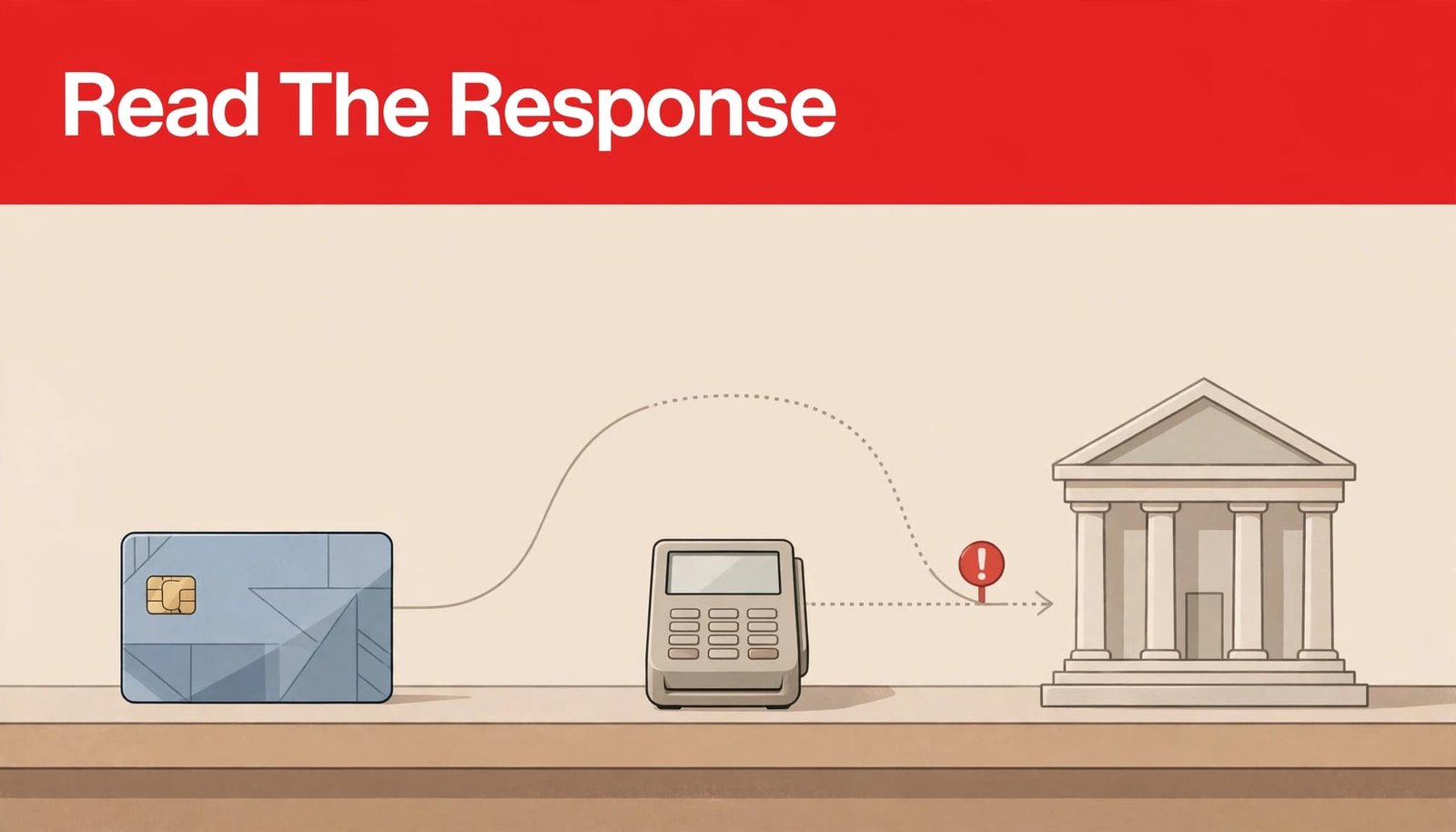
Identify who stopped the payment
The issuing bank manages the customer’s card account and approves or declines authorization requests. Your processor and acquiring bank support your business’s acceptance, while the card network carries messages between participants.
A gateway can also reject an order through its own fraud controls. That requires a different response than an issuer refusing the purchase.
Read the code with its message
A decline code’s meaning and recommended action vary by processor, network, and issuer. Record the response text, order reference, amount, and time alongside the code. Never put full card numbers or security codes in support notes.
Also distinguish declines from pending authorizations. Our explanation of authorization versus capture shows why approval, collection, and funding are separate stages.
Soft Declines, Hard Declines, and Safe Retries
Distinguishing a soft decline from a hard decline helps your team recover payments without unnecessary attempts.
Retry a soft decline only after something changes
A soft decline may succeed after available funds increase, an outage ends, or the customer resolves a restriction. Where permitted, allow a few hours or 24 to 72 hours, with two or three attempts at most as a conservative operating practice.
A hard decline requires changed credentials or another payment method. Don’t resubmit unchanged lost, stolen, closed-account, invalid-number, or expired-card credentials. Correcting a typo is different from repeatedly submitting an invalid number.
Treat network ceilings as limits, not targets
Often-quoted ceilings include 20 attempts within 30 days for Visa, and 10 within 24 hours or 35 within 30 days for Mastercard. These aren’t blanket permissions.
Visa’s declined-transaction resubmission update specifies up to 15 reattempts within 30 days for listed responses. Other categories prohibit retries. Mastercard’s transaction-error guidance includes advice codes with specific waiting periods.
Mindbody’s TSYS/Elavon guidance cites $0.10 penalties for certain prohibited Visa reattempts and $0.10 to $0.20 for some code 05 reruns. Those aren’t universal fee schedules.
A retry limit isn’t a retry recommendation. Follow the transaction’s response category and merchant advice.
Codes for Card Details, Available Funds, and Limits
Stripe cites an Ethoca study attributing 44% of declines to insufficient funds and roughly one in five to incorrect information, such as CVV or expiration details. These causes deserve attention, but customers should handle sensitive account questions privately.
These common responses identify information and spending problems.
| Code | Common meaning | Recommended action |
|---|---|---|
| 10 | Partial approval | Collect only the remaining balance separately. |
| 13 | Invalid amount | Correct the amount or formatting. |
| 14 | Invalid card number | Correct entry or reread the card. |
| 15 | No such issuer | Review the number; request another card if unresolved. |
| 51 | Insufficient funds or available credit | Offer another method or a customer-approved lower amount. |
| 54 | Expired card | Use valid replacement credentials. |
| 55 | Incorrect PIN | Let the customer correct it securely. |
| 61 | Amount or withdrawal limit exceeded | Customer contacts issuer or uses another method. |
| 65 | Activity or frequency limit exceeded | Stop repeated attempts; customer contacts issuer. |
For code 51, a customer may need to add funds or pay down a credit balance before another permitted attempt. A payment toward the balance may not restore available credit immediately.
A partial approval isn’t a full decline. If the issuer approves $150 of a $200 purchase, collect the remaining $50 through another accepted method using your supported split-payment workflow.
Codes for Merchant Setup and Technical Failures
A merchant error can interrupt an otherwise valid purchase. When several customers encounter the same response, ask your payment processor to investigate the terminal, connection, and account configuration.
Use these responses to direct troubleshooting.
| Code | Common meaning | Recommended action |
|---|---|---|
| 03 | Invalid merchant | Escalate merchant-account configuration to processing support. |
| 12 | Invalid transaction | Correct the unsupported transaction type or settings. |
| 19 | Re-enter transaction | Review status before any permitted resubmission. |
| 25 | Record not found | Review the referenced transaction. |
| 30 | Format error | Resolve message or integration formatting. |
| 58 | Transaction not permitted to terminal | Resolve terminal permissions or configuration. |
| 91 | Issuer or switch unavailable | Resolve status, then retry when permitted. |
| 92 | Routing problem | Escalate to processing support. |
| 94 | Duplicate transaction | Locate the original attempt before proceeding. |
| 96 | System malfunction | Review status and escalate the technical failure. |
Code 12 doesn’t necessarily mean the customer’s account has a problem. An unsupported refund, transaction type, or processing setting can trigger it.
After a timeout, the issuer may have approved authorization even though checkout never received the response. Review the existing transaction before creating another sale.
Codes for Issuer Restrictions and Security Concerns
Security-related responses require restraint. Never switch to manual entry merely to bypass a rejection, and don’t describe a customer as fraudulent based on a code.
These common meanings require processor-specific interpretation.
| Code | Common meaning | Recommended action |
|---|---|---|
| 01, 02 | Refer to issuer | Customer contacts the card issuer. |
| 04 | Pick up card | Hard decline; don’t retry. |
| 05 | Do not honor | Customer contacts issuer; avoid blind retries. |
| 07 | Pick up card, special condition | Stop; follow safe processor procedures. |
| 34 | Suspected fraud, pickup | Stop; follow safe processor procedures. |
| 41 | Lost card, pick up | Hard decline; don’t retry. |
| 43 | Stolen card, pick up | Hard decline; don’t retry. |
| 57 | Transaction not permitted to cardholder | Issuer must resolve the restriction. |
| 59 | Suspected fraud | Stop and direct customer to issuer. |
| 62 | Restricted card | Customer contacts issuer. |
| 63 | Security violation | Stop and escalate appropriately. |
| 75 | PIN attempts exceeded | Don’t continue PIN attempts. |
| 82 | Negative CAM, dCVV, iCVV, or CVV results | Follow the precise security response. |
| R0, R1 | Payment authorization revoked | Stop affected recurring submissions. |
Code 05 is a generic bank refusal without a disclosed reason. Some processor guidance permits one retry after correcting billing information, but another attempt isn’t automatically appropriate.
Code 57 can reflect an issuer block on the purchase type or merchant category code. Changing the amount doesn’t remove that restriction.
For pickup messages, prioritize staff safety. Don’t confront customers or attempt to retain a card without an authorized, safe procedure.
Give Customers a Clear Path Forward
A respectful explanation protects customer confidence while keeping checkout moving. Say, “The payment wasn’t approved. You can review your card information, contact your bank, or choose another payment method.”
For correctable entry problems, ask the customer to review the number, expiration date, CVV, and billing address securely. They can also look for a card lock or an activation requirement.
When issuer involvement is necessary, direct the customer to the number on their card. They should describe the merchant, amount, and attempted purchase.
For a recurring charge, send a prompt notification with access to your secure payment-update process. Don’t request card credentials through email or promise that bank contact will guarantee approval.
Reduce Avoidable Declines Without Weakening Security
Better payment information, reliable equipment, and measured fraud controls support more efficient checkout. Visa’s authorization and fraud-prevention guidance connects payment acceptance with appropriate risk management.
Improve information and equipment
Use clear billing-address prompts, maintain terminal software, and support chip or contactless payments where available. Inspect readers and address unreliable connectivity before it disrupts more transactions.
For online payments, review address verification service (AVS), CVV checks, and authentication settings. Our guidance on reducing false credit card declines explains how to improve acceptance without removing essential safeguards.
Measure approval quality, not approval volume alone
Track credit card decline codes by cause, channel, terminal, and payment method. Separate repeated attempts from unique purchases so one persistent retry sequence doesn’t distort reporting.
Don’t treat a 5% to 15% decline rate as a universal network target. Your customer mix, channel, and risk exposure matter.
For a high-risk merchant, change one fraud rule at a time. Compare approval quality with fraud losses, disputes, chargeback costs, and complaints. Recognizable billing descriptors and consistent receipts also help prevent payment misunderstandings.
Frequently Asked Questions
What does declined 82 mean?
This decline code commonly indicates failed card-security checks, but it isn’t always a mistyped CVV. It can involve chip or dynamic verification values. Correct entry details only when the processor identifies an entry problem; don’t keep retrying a security rejection.
Why was a card declined when the customer has money?
Available funds don’t override a locked card, daily spending limit, expired credentials, billing mismatch, or issuer fraud restriction. Pending holds can also reduce available funds or credit. Mastercard’s response-code documentation illustrates why the accompanying message matters, rather than relying on a number alone.
Build a More Reliable Response to Declines
Credit card decline codes give your team a practical starting point for protecting revenue and serving customers. The strongest response matches the cause, respects security restrictions, and avoids unnecessary resubmissions.
Make cause-based handling part of your checkout procedures. Correct preventable errors, give customers clear options, and review payment performance alongside fraud and chargeback results.