
Modern computer systems for restaurants now run the entire journey from order capture to payment settlement without handoffs or gaps. We connect a unified restaurant POS with a kitchen display system, inventory management, and secure payment rails to move every ticket, item, and dollar through one workflow. Orders flow from app, kiosk, web, or server handheld into a single queue. The system routes items to stations, tracks prep, updates inventory in real time, and closes checks with EMV, NFC, or QR. This end-to-end link cuts friction that slows service and raises costs.
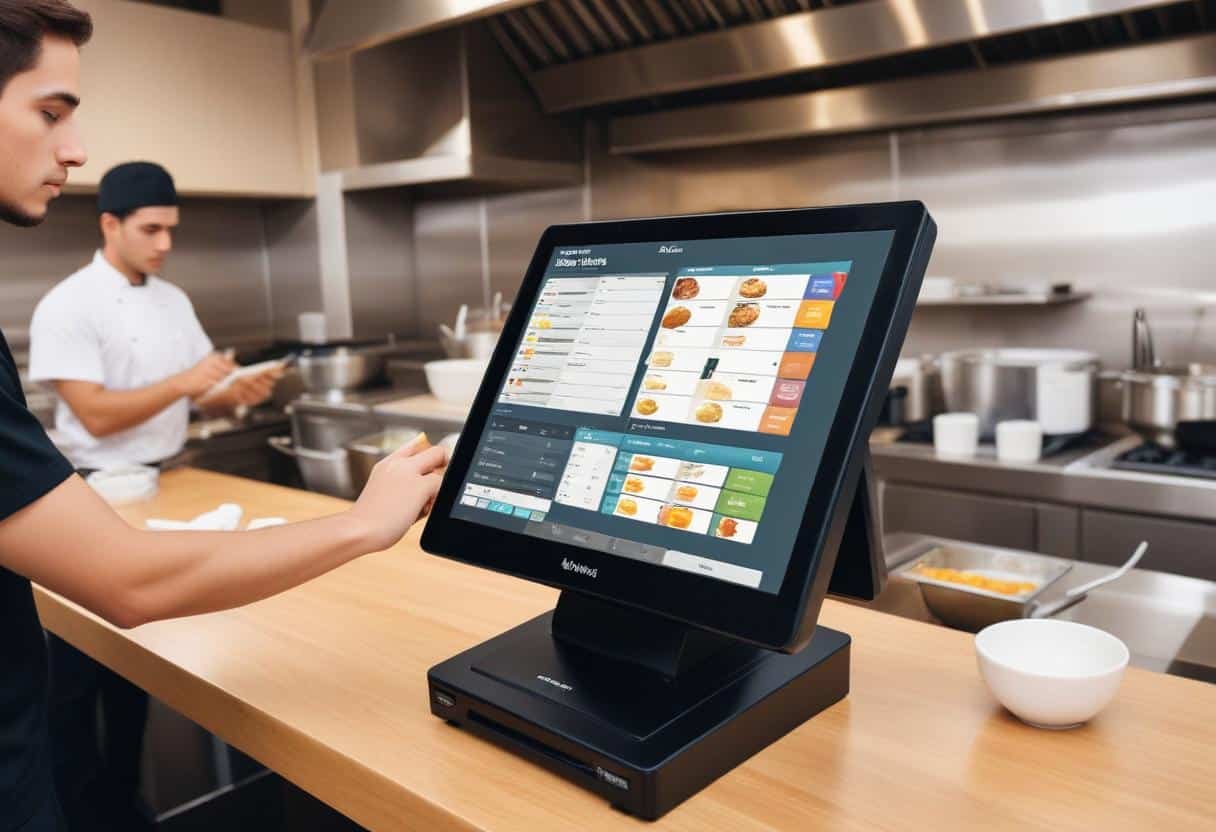
Operators see measurable gains. We shorten ticket times by auto-prioritizing based on promise windows and capacity. We raise order accuracy with enforced build rules and allergen prompts. We lift average check size with smart menus and upsells. We reduce labor drag by eliminating rekeying, duplicate entries, and manual counts. This is the new baseline: a restaurant POS that talks to the kitchen display system, syncs inventory management as guests order, and settles payments fast. Read on to see seven proven plays that turn those connections into speed, precision, and revenue.
Unified Omnichannel Ordering
We centralize dine-in, takeaway, delivery, kiosk, and mobile app orders into a single POS queue. Online ordering integration and delivery partner integrations feed the same order rail, so the kitchen sees one stream with clear timestamps and promise times. Hosts, cashiers, and expo see the same status, which removes handoffs and duplicate entry. The result is fewer bottlenecks and faster turn times during peak periods.
We sync menus, modifiers, and prices in real time across every channel. When a chef 86s a special, the system hides it instantly on kiosks, third-party marketplaces, and the website. Combo logic, taxes, and fees update once in the master menu and cascade across channels. This approach reduces wrong items and adjustments and protects margins when marketplaces update fees. It also keeps brand photography, allergen flags, and calorie data consistent wherever guests order.
We auto-prioritize and throttle orders based on promise times and capacity. The platform reads KDS station load, driver ETAs from delivery partner integrations, and open-table counts from table management software. It then staggers fire times, updates quoted readiness, and caps intake when stations hit defined thresholds. A Friday 7 p.m. rush, for example, can throttle third-party delivery while keeping kiosk pickup flowing, protecting on-premise service levels without manual intervention.
We design computer systems for restaurants to expose the right controls to managers. They can set prep SLAs by menu group, route items to specific makelines, and weight order priority by channel or revenue. They can also run playbooks — like “rain plan” or “sporting event surge” — that pre-set capacity, menu availability, and courier dispatch rules. These controls maintain accuracy and throughput while increasing order volume that the operation can actually fulfill.
2. POS + Kitchen Display System (KDS) Orchestration
Pair the POS and KDS to orchestrate production from the moment a server fires an order. Route items to the right prep stations automatically — grill, fry, salad, bar — using item tags and station rules. Apply time-based firing and coursing logic so steaks hit the grill while salads hold, and desserts stage only when needed. When guests order through QR code menus or mobile POS, send tickets straight to the KDS to remove re-entry and keep the line moving.
Cut ticket times and waste with focused execution tools. Use bump screens and prep timers to signal when to start, hold, and finish each item. Flag allergens, doneness, and modifiers in color-coded tiles to prevent remakes and cross-contact. Combine expo screens with order-ready alerts to sync runners and reduce dwell time in the window. Tie everything back to contactless payments to close checks faster and free up kitchen capacity sooner.
Balance load in real time as dining patterns shift. Track station performance — average prep times by item, ticket aging, bump rates, and reject reasons — to spot chokepoints before they cascade. Auto-throttle incoming orders by channel when a station nears capacity, and re-route simple items to overflow stations to protect promise times. Use this data to refine pars for mise en place and to set staffing levels by daypart and menu mix.
Put handhelds and service flow to work, not in the way. Server handhelds and mobile POS fire courses as they are sold, eliminating batch entry and reducing voids. Bar tickets print or display with projected pickup times so servers pace rounds with the kitchen. When guests add items late, the KDS adjusts the course plan without restarting the whole ticket. The result: faster turns, cleaner expo, and consistent plate sequencing across dine-in, takeaway, and delivery.
4. Real-Time Inventory and Vendor Sync
Connect the POS to inventory so every item and modifier decrements stock as the order fires. Tie recipes to ingredients and yields to track theoretical usage against actual. Trigger 86s automatically and update menus across channels in seconds, so guests never order what is not available. Flag low stock on high-velocity items like wings or oat milk before peak periods to protect revenue and guest satisfaction.
Stabilize COGS by automating purchase orders and par-level alerts by location and daypart. Build vendor lead times, pack sizes, and contract pricing into the system to create accurate, timely POs without manual spreadsheets. Route approvals to managers and send POs via EDI or email to suppliers, then reconcile invoices on receipt with weighted-average cost updates. Use real-time analytics and sales reporting to spot cost drift, substitutions, and waste, then tighten pars before they become margin loss.
Forecast demand using historical sales patterns, weather, seasonality, and local events to right-size orders and reduce spoilage. Auto-adjust pars for recurring promotions and LTOs, and simulate “what-if” scenarios for menu changes. Balance production plans across prep, line, and catering with item-level forecasts that roll up to ingredient demand. Sync availability to third-party marketplaces and kiosks so promise times and menu availability match your capacity.
Align inventory with operations to improve throughput. Push prep lists to stations each morning and update them as on-hand changes. Coordinate receiving and production with employee scheduling so managers staff against inbound deliveries and forecasted volume. Track variances by station and shift to pinpoint training gaps or portioning issues, then refine recipes and workflows to keep food cost and labor in line.
5. Table Management and Service Flow
Connect waitlists, reservations software, and live table maps to the cloud POS to compress seat-to-order time. Host stands see accurate ETAs, party sizes, and table turns in one view. As soon as a party is seated, the POS opens the check and suggests the server based on section load. Computer systems for restaurants use API integrations to sync status changes in real time, so the kitchen and floor stay aligned during shifts and section flips.
Equip servers with handhelds for tableside ordering to eliminate duplicate entry and reduce errors. Orders route instantly to the KDS by station, including modifiers and allergen flags, which cuts re-fires and delays. Fire drinks and appetizers immediately while pacing mains based on promise times. In busy periods, handhelds also capture payments at the table, freeing terminals for other tasks and shortening the payment queue.
Coordinate coursing and pacing based on actual table status rather than guesswork. When a table moves from “seated” to “entrees down,” the system auto-adjusts fire times for the next course to hit the desired cadence. For example, if the patio is running 8 minutes behind due to weather, the KDS extends mains by that offset while the bar accelerates pre-batched cocktails. Managers view a live dashboard that highlights aging tickets, slow sections, and bottleneck stations to rebalance assignments on the fly.
Use data to refine staffing and floor plans. Analyze seat-to-order and order-to-serve times by daypart, section, and server to set labor and cut lists with confidence. Trigger auto-joins of two-tops or convert a four-top to walk-in mode when no-shows spike, using rules in the reservations software connected via API integrations. With cloud POS at the core, the front-of-house runs a predictable service flow that lifts throughput, stabilizes guest pacing, and raises table turns without sacrificing experience.
6. Secure, Fast Payments and Tipping
Offer fast, flexible payment flows to move guests from check to exit without friction. Enable pay-at-table, QR codes, and NFC to cut wait time and free staff from terminals. Support split checks and split tenders to handle mixed orders, large parties, and partial redemptions without rekeying. Operators that shift to pay-at-table routinely cut table turns by 5–10 minutes and lift customer satisfaction with greater control and transparency.
Protect every transaction to reduce fraud, chargebacks, and compliance overhead. Use EMV for card-present transactions and tokenization to remove sensitive data from the environment. Run payments through PCI-compliant gateways to simplify PCI compliance and lower risk exposure. Add pre-auths, AVS/CVV checks, and itemized digital receipts to deter friendly fraud and resolve disputes faster. Clear, line-level receipts also tie payments to items, strengthening proof in the rare cases when order accuracy is questioned.
Configure tipping to support staff earnings and meet regulatory requirements without manual work. Present smart tip prompts tuned by service type, check size, and time of day. Apply service charge rules for banquets, auto-gratuity thresholds for large parties, and pooled or individual tip routing that respects local laws. Restaurants that use contextual tip prompts at pay-at-table often see 2–4 percentage point increases in average tip rate while avoiding noncompliant surcharge practices.
Tight integration between payments and POS completes the loop from order to settlement. Auto-close checks when payment clears, sync refunds and voids to the original tender, and post tips to payroll exports without hand entry. Attach payment tokens to guest profiles for one-tap reorders, subscription charges, or loyalty redemptions that work across channels. Combine fast authorization, offline mode safeguards, and real-time risk monitoring to keep lines moving during peak periods and protect revenue during network blips.
7. Loyalty, CRM, and Post-Visit Engagement
Attach every order to a customer profile to turn anonymous transactions into repeatable relationships. Link dine-in, delivery, and kiosk tickets to a unified CRM so teams can target offers by dish preference, daypart, and spend. For example, flag guests who order plant-based items and send a limited-time menu preview with early access ordering. Use upselling tools in-app and at the POS to surface relevant add-ons — like a pastry with a morning latte — driven by the guest’s past behavior, not guesswork.
Sync loyalty accrual and redemption in real time across channels to protect transaction speed and consistency. Guests should earn and burn points whether they tap-to-pay at the bar, scan a QR on the patio, or check out in the mobile app. Tokenized identities and EMV-ready payments tie balances to the profile, not the card, so a comp or reward applies instantly without manager intervention. This reduces friction at the register, shortens lines, and prevents deferred discounts that erode margin.
Automate post-visit engagement based on spend, frequency, and preferences to lift retention without adding workload. Trigger a survey within an hour of payment for high-spend tables, route low NPS responses to a manager with the ticket attached, and issue make-good rewards that auto-apply on the next visit. Set cadence rules so weekly regulars receive chef’s table invites, while lapsed guests receive bounce-back offers calibrated to regain visit frequency. These workflows create consistent follow-through and support labor optimization by removing manual list pulls and one-off comps.
Use analytics from computer systems for restaurants to measure offer lift, visit cadence, and item affinity, then refine targeting. A quick-service operator can promote family bundles to weekend pickup customers while a café tests double-points “rainy day” boosts tied to local weather. Feed loyalty insights back into menus and prep: highlight likely add-ons in the app, pre-stage popular reward items on the line, and adjust par levels for promo windows. Close the loop by reporting which campaigns drive contribution margin, not just redemptions, so the program funds itself.
Conclusion: Connect Orders to Payments. Unlock Speed, Accuracy, and Revenue.
Computer systems for restaurants unify the full journey, from order capture to payment settlement. We cut friction at every step. We shorten ticket times, lift order accuracy, raise average check, and reduce labor drag. We protect payments and tips while we streamline service. The result is faster turns, fewer remakes, higher throughput, and stronger guest satisfaction.
Start with the core stack: an integrated POS, KDS, payments, and inventory. We then layer analytics, CRM, loyalty, and automation to compound gains across channels. We centralize orders, orchestrate kitchens, sync inventory in real time, and personalize post-visit engagement. Implement the foundation, prove the metrics, and scale the model location by location.