
 Running a small eatery demands speed, control, and predictable costs. We cut through hype to find the best POS for small restaurant operations, cafes, bakeries, bars, and food trucks. This guide spotlights systems that launch fast, stay affordable, and fit tight spaces and tighter margins. We compare setup steps, menu builders, and checkout flows that keep lines moving. We also review processing terms, hardware options, and support models that protect cash flow.
We focus on what drives profit: customizable menus, smart inventory tools, and clear reporting. The right small restaurant POS should price combos in seconds, flag low stock before a rush, and surface the best sellers without spreadsheets. Each pick in our list delivers value now and scales with add-ons only when needed. Use this lineup to find an affordable POS for restaurants that trims waste, speeds service, and pays for itself. Read on to see which POS for small eateries fits your workflow today — and tomorrow.
Square for Restaurants: Best for free entry and simple, fast setup
Square for Restaurants gives small eateries a fast start. The free starter plan and low-cost hardware keep upfront costs down. Setup takes minutes, not days. Use menu customization POS tools to build quick-service workflows fast. Add buttons for modifiers, combos, and “sell-out” items so staff move lines quickly. A coffee cart or weekend pop-up can go live with a Square Stand, a card reader, and a simple, branded menu in a single afternoon.
Square includes core restaurant POS features without clutter. Built-in reporting shows top sellers, rush-hour peaks, and staff performance at a glance. Basic inventory management POS tools track counts and warn when an item runs low. Online ordering connects to your POS, so web, QR, and counter orders flow to the same ticket queue. Transparent flat-rate processing simplifies forecasting and removes surprises.
The system scales through add-ons as you grow. Add loyalty to capture repeat visits with simple rewards at checkout. Turn on payroll when you hire, and manage timecards and tips in one place. Mix and match modules without long contracts or early termination fees. Start free, then layer the tools that drive revenue and control costs.
Square also plays well with modern service models. Enable curbside or order-ahead for commuters. Use kitchen display screens to route orders and cut ticket times. Configure menu-specific availability by daypart for bakeries or delis. For owners seeking the best POS for small restaurant operations, Square delivers a practical blend of speed, menu customization POS options, and essential data — without a heavy price tag.
2. Toast: Best Android-based POS for fast-paced kitchens
Toast fits fast-moving counters and tight kitchens. Its Android-based KDS pushes clear tickets, color-codes delays, and routes items to the right prep station. Menu modifiers and combo-building speed common scenarios like lunch specials or wing-and-beer deals. Handhelds work as a mobile POS for restaurants, so staff bust lines, fire items from the patio, and capture tips without a trip to the terminal.
As a cloud POS system, Toast lets managers update prices and 86 items from anywhere. Online ordering flows straight to the KDS with quoted times, while delivery integrations sync with DoorDash and Uber Eats to reduce rekeying. Use throttle controls to pace third-party orders during a rush. Ingredient-level tracking and item countdowns help keep popular SKUs on hand and prevent out-of-stock moments at peak times.
Toast’s built-in reporting POS tools surface sales by hour, menu mix, and modifier usage. Drill into combo performance, voids, and prep times to refine menus and kitchen staffing. Cost tools support recipe-level insights and margin protection. Schedule nightly email summaries for multi-unit owners who need quick reads across locations.
Budget planning matters with Toast. Hardware leasing can lower upfront spend for touch terminals, kitchen screens, and handhelds, but confirm term lengths and replacement policies. Processing rates come with commitments; lock in written quotes and clarify volume tiers. Review monthly add-on costs for online ordering, loyalty, inventory, and payroll before you sign. Bundle only what you will use in the next 6–12 months to control total cost.
4. Lightspeed Restaurant: Best for advanced inventory and multi-location growth
Lightspeed Restaurant suits owners who track every ounce and dollar. It supports ingredient-level inventory, vendor management, and recipe costing to protect margins. Build recipes with yield, prep, and waste to see true plate costs and auto-update menu profitability. Trigger purchase orders when par levels drop and route to preferred suppliers to avoid stockouts and overbuying.
The platform scales cleanly across locations. Sync core menus, pricing rules, and promos while allowing local overrides for seasonal items. Centralized reporting compares unit performance, food cost variance, and labor-to-sales by daypart. Managers act on exceptions, not gut feel. Use configurable menus to run breakfast-lunch-dinner flows, combo pricing, and 86ing that updates the kitchen display system KDS in real time.
Lightspeed’s analytics go deep. Segment sales by modifier, channel, and prep station to spot bottlenecks and engineer higher-margin items. Tie inventory to sales to flag shrink and outliers quickly. For teams, the built-in tip management POS tools streamline pooled tips, tip-outs, and compliance, reducing end-of-shift friction. Use employee performance reports to align staffing with actual demand patterns.
Operations stay resilient. The offline mode POS keeps service moving when the internet drops, then syncs sales, inventory, and reports once back online. A wide integration ecosystem covers accounting, delivery, loyalty, and reservations, so owners keep existing tools without duct tape. While monthly pricing runs higher than entry-level options, the control over costs, fewer errors, and faster decisions drive ROI for data-driven operators.
5. Clover: Best for plug-and-play hardware and simple bundles
Clover delivers all-in-one terminals that power up fast and keep lines moving. Clover Mini, Flex, and Station pair well for counter service, small bars, and delis. Tap, chip, and mobile wallet support make it a strong contactless payments POS for busy morning rushes. The app marketplace adds niche tools without heavy setup, like weight-scale integrations for delis, age verification for bars, and kitchen printing for sandwich lines.
Out of the box, Clover covers the essentials for the best pos for small restaurant teams that want speed over complexity. Build items with variants and modifiers, set combo pricing, and track basic inventory without spreadsheets. Reports are clean and easy to read, so owners can spot best-sellers, slow movers, and hourly volume at a glance. Use simple role-based permissions to run a lean staff management POS and keep controls tight across shifts.
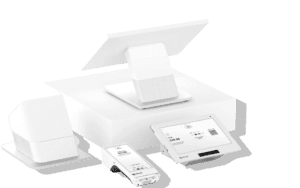
Clover’s bundles shine for quick deployments and predictable hardware costs. A cafe can run a Station at the counter for order-taking and a Flex for tableside checkout to turn seats faster. Add a customer loyalty POS with Clover Rewards to capture emails and award points automatically at checkout. Tip prompts and digital receipts support higher average tickets and repeat visits without extra training.
Processing runs through Clover/Fiserv, so pricing and contract terms deserve close review. Compare plan tiers, hardware leases, and processing rates side by side, and confirm length, auto-renewal, and any early termination fees before signing. Lock in what matters: flat rates you can model, month-to-month flexibility when possible, and the add-ons your workflow needs — nothing more.
6. Revel Systems: Best for hybrid counter/table service and drive-thru
Revel shines in mixed-service environments that run counter, table, and drive-thru from the same line. Powerful modifiers, combo pricing, and kitchen routing move orders to the right station without slowing the queue. Configure breakfast/lunch/dinner menus with time-based pricing and drive-thru timers to track car-to-window times. Use an EMV compliant POS setup to reduce chargebacks at the window while keeping tap, chip, and mobile wallets moving.
Inventory and labor controls go deep. Track ingredients down to the recipe, link waste reasons to prep logs, and auto-reorder from preferred vendors to protect margins. Layer employee management with role-based permissions, schedule forecasting, and tip pooling for hybrid teams. Real-time dashboards surface critical metrics like item voids, prep bottlenecks, and hourly sales so managers course-correct before a rush hits.
Revel also fits multi-location POS needs. Roll out standardized menus, pricing, and promos from a central console, then localize taxes, hours, or 86 lists by store. Compare store performance with product mix and labor-to-sales ratios, and route purchase orders by location to maintain par levels. For concepts with a commissary, track batch recipes and transfers to keep COGS precise across the group.
Expect a higher upfront investment in hardware, networking, and implementation. In return, gain enterprise-grade stability, advanced reporting, and scalability for future growth. Plan a phased rollout: start with the busiest location, dial in kitchen routing and combo logic, then clone to additional sites. Add-ons like KDS, drive-thru timers, customer-facing displays, and integrated online ordering extend ROI as volume scales.
7. SpotOn Restaurant: Best for menu engineering and modern hospitality features
SpotOn helps small eateries engineer profitable menus and move lines faster. Use dynamic menus to swap items by daypart, 86 ingredients in real time, and feature high-margin specials on every screen. Its robust KDS routes tickets by prep station, flags modifiers clearly, and prioritizes late items to cut remake rates. Tip optimization with smart prompts lifts average gratuities without slowing checkout, which matters for cafes and counter service during rushes.
The platform unifies online ordering, reservations, and waitlists, so guests book, order, and reorder without friction. QR ordering and order status text updates reduce front-of-house bottlenecks. Integrated loyalty tracks item-level spend and rewards high-value guests with targeted offers, not blanket discounts. Use combo rules and upsell suggestions at the register and on the web to increase average ticket size while protecting margins.
Reporting supports menu engineering with mix, contribution margin, and item-level profitability views when paired with cost data. Configure dashboards to monitor prime movers, voids, and prep times across shifts. For multi-station kitchens, throttle online order volume by time slot to protect dine-in service. We recommend building a cadence to review the top 20 items weekly and adjust pricing or placement — SpotOn makes these changes fast across POS, online, and KDS.
Processing comes via custom quotes, which can be competitive for growing volume. Plan total cost across software tiers, KDS screens, and add-ons like loyalty and reservations. Onboarding and support are strong, including menu builds and staff training that shorten go-live. For owners who want the best POS for small restaurant operations focused on throughput and repeat visits, SpotOn offers modern hospitality tools with clear revenue levers.
Choose the Right POS, Then Prove It in Service
Pick the system that matches how you run service. Prioritize menu customization, kitchen tools, and reporting that fit your model — whether you run a coffee bar, bakery, deli, or food truck. The best POS for small restaurant teams speeds ordering, routes tickets cleanly, and gives clear, actionable reports.
Plan for total cost, not sticker price. Compare software tiers, processing rates, hardware, and add-ons. Avoid long, inflexible contracts. Shortlist two or three options, request demos, and run a brief live trial. Test peak-hour workflows, KDS performance, online orders, and reports with real staff and real tickets. Validate fit, confirm rates and terms, and then commit with confidence.