
In today’s competitive market, a small business needs dependable tools to manage daily operations and keep customers coming back. A point of sale (POS) system does much more than process payments. It can track inventory, organize customer data, and provide useful sales information to help owners make informed decisions. For retailers, restaurants, and other small businesses, the right POS system can improve efficiency, support better service, and create room for growth.

A well-chosen POS system can make everyday tasks easier. It helps reduce manual work, speeds up checkout, and keeps sales records organized. Staff can spend less time managing transactions and more time helping customers. When your POS system fits the way you do business, it can support stronger customer relationships and help your business prepare for future growth.
Square POS
Square POS is a practical option for small business owners who want a system that’s easy to learn and use. Its straightforward interface helps staff get comfortable with checkout quickly, even if they have limited experience with POS technology. A compatible card reader supports checkout, while faster transactions and fewer complications can improve the customer experience and help build loyalty.
Square’s pricing is another advantage for small businesses. Its free POS plan has no monthly fee, but businesses pay a transaction fee for payment processing. This can make it a cost-effective choice for startups and businesses with tighter budgets, allowing owners to manage expenses while accessing useful POS tools.
Users often praise Square POS for its simple setup and reliable performance. The POS software also connects with other business tools, helping owners bring key tasks together and spend more time serving customers. For businesses looking for an accessible POS system with straightforward pricing, Square is a strong option.
Shopify POS
Shopify POS is a cloud-based POS that connects in-store and online sales through one platform. It syncs with Shopify’s e-commerce tools, including online ordering, to help businesses manage products, sales, and inventory across multiple locations. This omnichannel connection supports a consistent shopping experience in stores and online.
Shopify offers plans for businesses at different stages of growth. Smaller shops can start with a plan that covers their basic needs, while larger businesses can choose options with additional features. Owners can select a plan that fits their current operations and adjust it as their business grows.
Inventory management is another key feature. Business owners can view stock levels, set reorder points, and manage multi-location inventory from a central dashboard. Shopify’s mobile POS also gives managers access to business information away from the counter, helping them make timely decisions.
For businesses that sell both online and in person, Shopify POS brings sales channels together in one system. Its e-commerce integration, flexible plans, and inventory tools can simplify operations and support a consistent customer experience.
Clover POS
Clover POS offers hardware options for different types of businesses, including cafes and retail stores. Its lineup includes devices such as Clover Station, Mini, and Flex, with compatible card readers available for businesses that need a separate checkout device. The right setup can help staff process sales efficiently and serve customers with less friction.
Clover also offers an app marketplace that lets businesses add features as needed. Available tools can support inventory management, employee scheduling, and a loyalty program. A small boutique, for example, can use apps for stock alerts and sales tracking, then add other functions as its needs change.
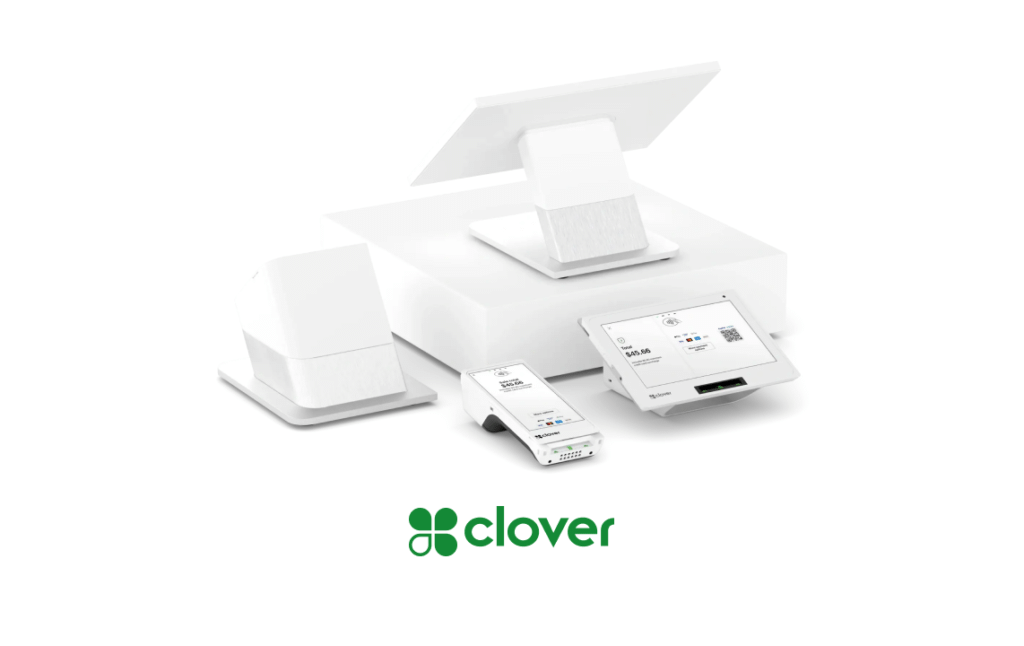
Business owners often value Clover’s flexibility and ability to support growth. Its interface is designed to be easy to use, and customer support can help resolve issues and limit interruptions. With customizable hardware and a broad selection of apps, Clover can adapt as a business’s requirements change.

Power Up Your Business with Secure, Affordable,
and Efficient Payment Solutions
Lightspeed Retail POS
Lightspeed Retail POS offers sales reporting on sales activity, inventory, and customer preferences. Real-time reports show which products sell well and when sales are busiest. Retailers and restaurant operators can use this information to make better decisions about inventory, staffing, and daily operations.
The system supports retail and restaurant businesses, with payment options that let customers pay using their preferred methods. Its user-friendly interface can make transactions easier for staff to handle and reduce the time needed to learn the system.
Users also value Lightspeed’s ability to connect with other business tools, including accounting software and e-commerce platforms. These integrations can simplify work across sales channels and help businesses manage operations in one place. Lightspeed can also support businesses as they expand and need additional features.
For owners who rely on detailed sales data, Lightspeed offers a strong combination of reporting, payment processing, and integrations. These tools can help improve day-to-day decisions and support better service.
Toast POS
Toast POS is designed for restaurants and other food service businesses. Its features include table management, menu customization, online ordering, and real-time inventory tracking. Staff can manage orders through an easy-to-use interface, while a kitchen display system helps coordinate them during busy service.
Customer support is another area where Toast receives positive feedback. Restaurants can contact its support team when they need help, and online resources and training materials can help owners and staff learn the system’s features.
Toast offers pricing plans designed for food service businesses, along with integrations for restaurant management tools. These connections can help owners coordinate different parts of their operations without relying on separate systems for every task.
For restaurant owners seeking a POS system built around food service, Toast combines restaurant-specific tools, customer support, and flexible pricing. Its features can help staff manage service more efficiently and provide a better dining experience.
Comparing POS Systems
Pricing is an important consideration for small businesses. Square has no monthly fee and charges transaction fees, which may suit startups or businesses with changing sales volumes. Shopify offers plans for businesses of different sizes, while Clover’s customizable hardware can add value for owners who need a tailored setup. Lightspeed and Toast include more specialized features, with Lightspeed serving retail businesses and Toast focusing on restaurants.
Each POS system has different strengths. Square is known for its simple interface and setup. Shopify connects in-store and online sales while offering inventory tools. Clover gives businesses access to customizable hardware and a broad app marketplace. Lightspeed provides detailed reporting, and Toast includes features such as menu management and table tracking for food service businesses.
POS system | Pricing model | Best use case | Key features |
|---|---|---|---|
Square | Free POS; transaction fees apply | Startups or businesses with changing sales volumes | Simple setup and payment processing |
Shopify | Plans for businesses of different sizes | Businesses selling in-store and online | Connected sales channels and inventory tools in its software |
Clover | Pricing not stated here | Businesses that need a tailored setup | Customizable hardware and a broad app marketplace |
Lightspeed | Pricing not stated here | Businesses that need detailed reporting | Reporting and accounting software integrations |
Toast | Pricing not stated here | Food-service businesses | Menu management and table tracking |
Customer feedback also points to the importance of choosing a system that fits the business. Users appreciate Square’s ease of use, Shopify’s inventory tools, Clover’s flexibility, Lightspeed’s reporting, and Toast’s restaurant-focused features and support. The best fit depends on how well a system supports your daily operations and customer needs.
Frequently Asked Questions
What does a POS system do?
A POS system processes payments and can also track inventory, organize customer data, and provide sales information. Its features help businesses manage daily operations and serve customers.
How should a small business choose a POS system?
Consider your industry, budget, current operations, and growth plans. Check that the system supports the features you need, such as inventory tracking, reporting, payment options, and integrations with your existing tools.
Which POS system is best for a business that sells online and in person?
Shopify POS connects in-store and online sales and includes inventory tools for managing products across locations. It can suit businesses that want to manage both sales channels through one platform.
Which POS system is designed for restaurants?
Toast POS is designed for restaurants and other food service businesses. Its features include table management, menu customization, online ordering, and real-time inventory tracking.
What should a business check before choosing a POS system?
Check whether the system connects in-store and online sales if you need omnichannel operations, and whether offline mode keeps checkout available during an internet outage. Also check for PCI DSS compliance and support for EMV chip readers.
Choosing the Right POS System for Small Business
Square, Shopify, Clover, Lightspeed Retail, and Toast offer features for different types of small businesses. Square is easy to use and has no monthly fee. Shopify connects online and in-store sales, while Clover offers customizable hardware and apps. Lightspeed is known for reporting tools, and Toast is designed for restaurants.
Before choosing a POS system, consider your industry, budget, current operations, and growth plans. Look for everyday features such as inventory tracking, reporting, payment options, and integrations with your existing tools. For omnichannel operations, check how well the system connects in-store and online sales, and whether offline mode keeps checkout available during an internet outage. Check for PCI DSS compliance and support for EMV chip readers, then choose a system that fits today and can support future needs.
Working with United Banc Card of TN
If you find yourself wanting to conquer your restaurant, retail shop, look no further than United Banc Card of TN. With their innovative solutions and trusted POS System services, they will guide you towards financial success. Whether you are a small business owner or an individual looking to manage your finances better, United Banc Card of TN has the tools and expertise to help. Call us today @615-476-0255

